Create a new Custom Agent
Last updated: July 28, 2026
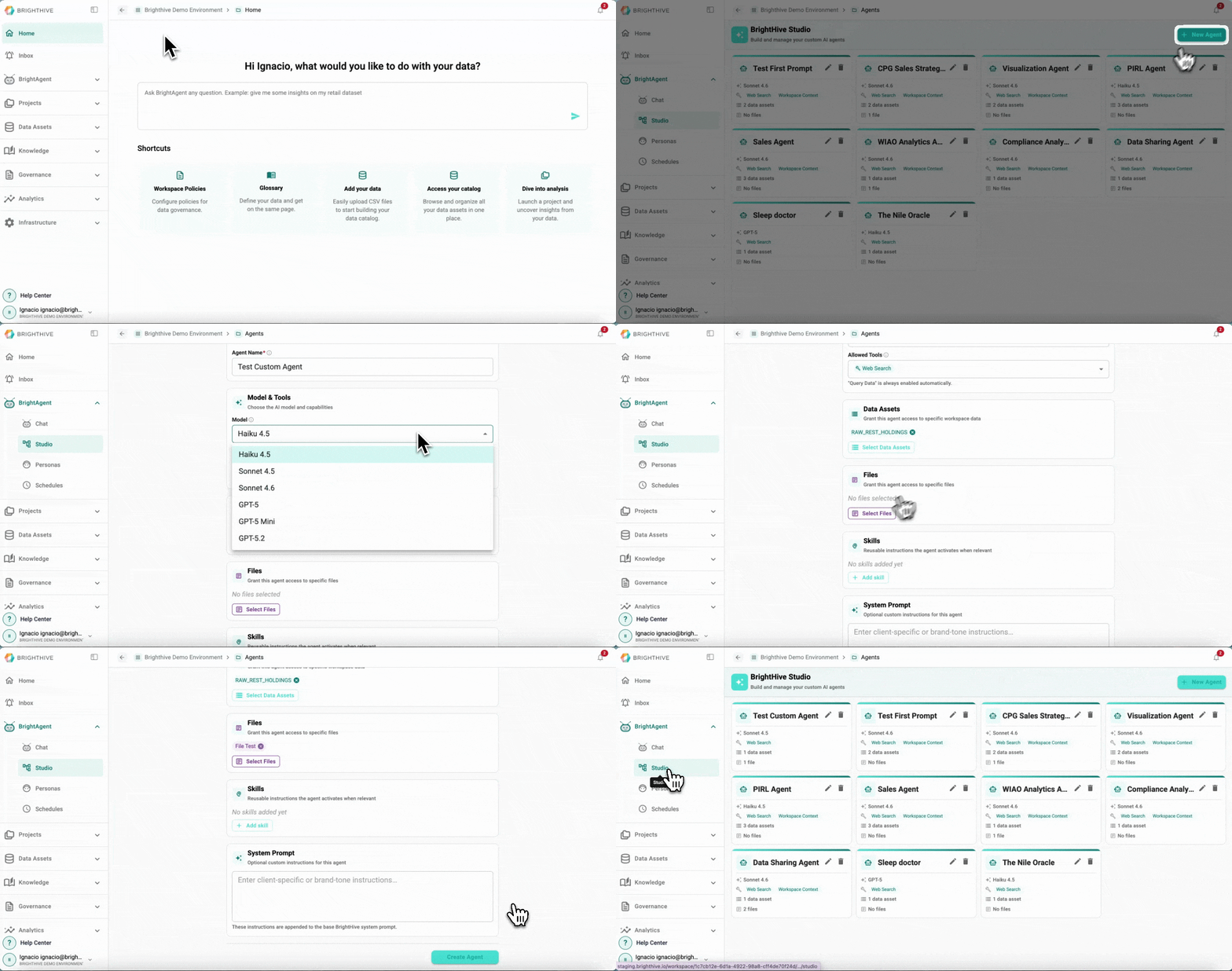
To create a new Custom Agent in your Workspace:
Click "BrightAgent" on the left side of the platform
Click "Studio" on the list of options deployed
Click "New Agent" on the top-right corner of the platform
Type the information required for a new agent
Name
LLM Model
Allowed Tools (Web Search and Workspace Context)
Select Data Assets to grant access
Select Files to grant access
Skills (reusable instructions)
System Prompts (optional custom instructions for the agent)
Click "Create Agent" to create the new Agent