Work with a Custom Agent
Last updated: July 28, 2026
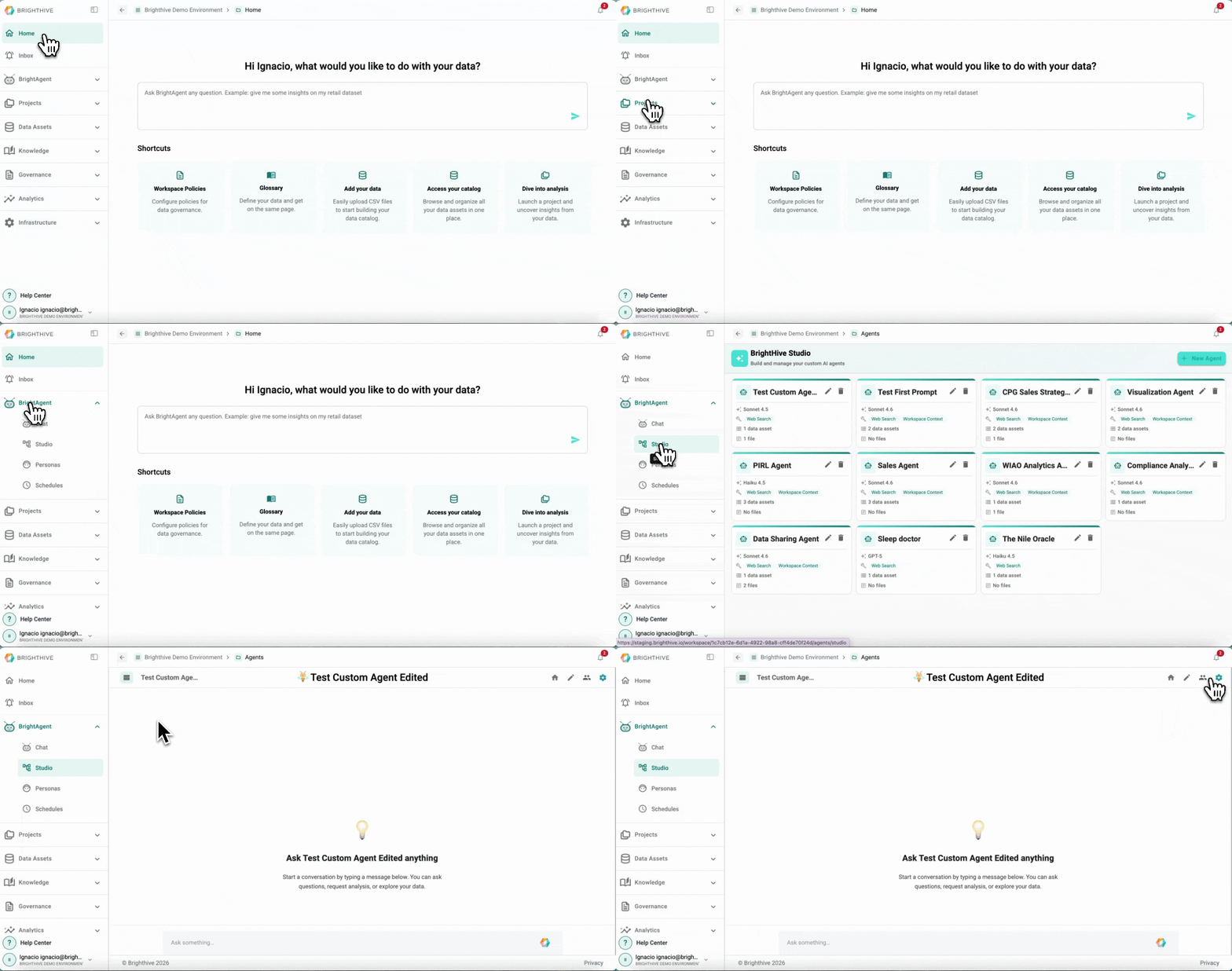
To work with a specific Custom Agent in your Workspace:
Click "BrightAgent" on the left side of the platform
Click "Studio" on the list of options deployed
Select the name of the Custom Agent you wish to work with
You are going to be directly sent to the Custom Agent, you can start a new conversation session or pick up a previous one by clicking the three bars icon on the top-left side of the platform