Edit an existing Custom Agent in the Workspace
Last updated: July 28, 2026
Once a Custom Agent has been created you can edit it's information in the future.
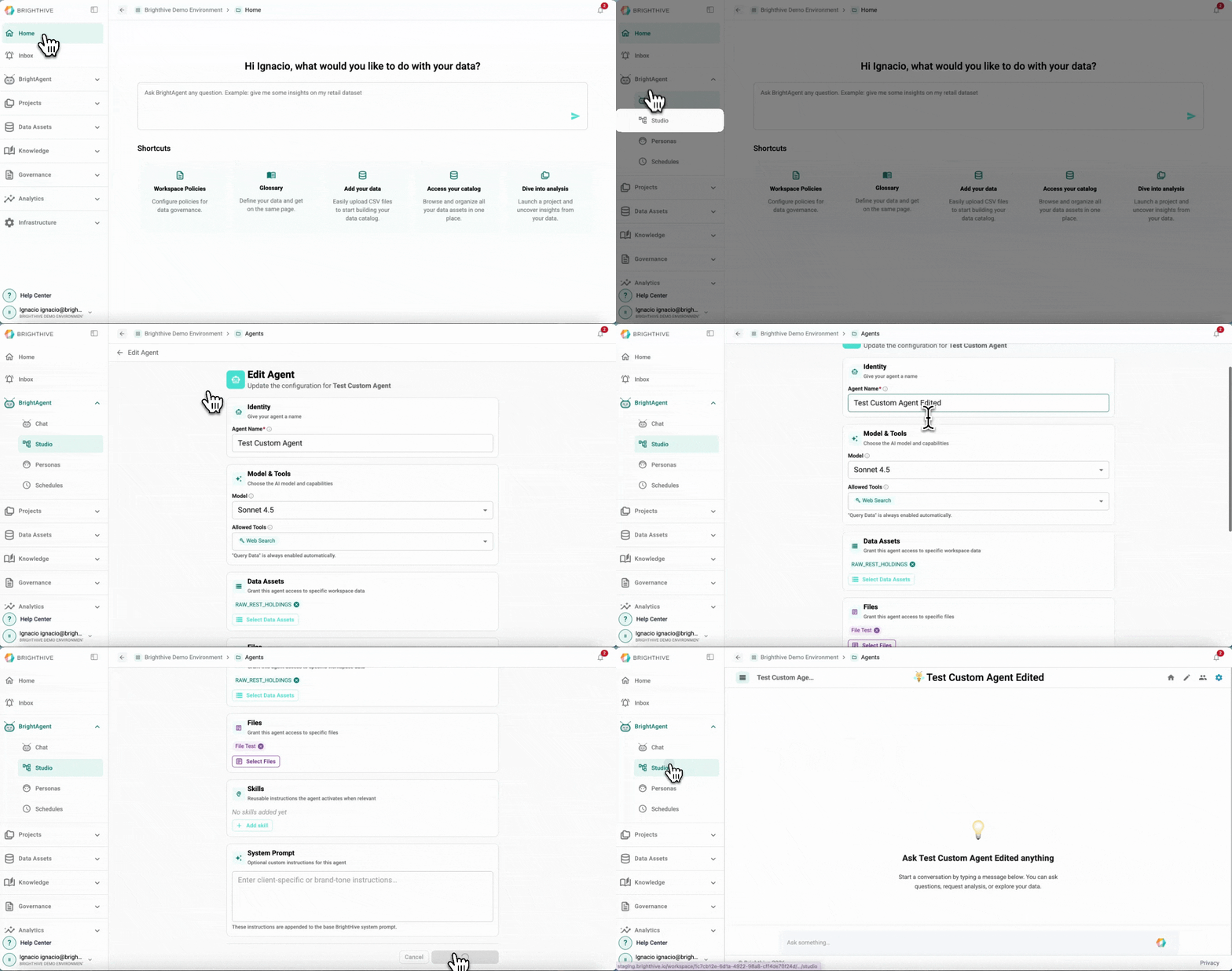
To edit an existing Custom Agent in your Workspace:
Click "BrightAgent" on the left side of the platform
Click "Studio" on the list of options deployed
Select the edit icon next to the name of the Custom Agent you wish to edit
Make the required adjustments to the fields you wish
Confirm the adjustments by clicking "Save Changes"
The fields that can be edited from an existing Custom Agent are:
Name
LLM Model
Allowed Tools (Web Search and Workspace Context)
Access to Data Assets
Access to Files
Skills (reusable instructions)
System Prompts (optional custom instructions for the agent)