View details of all existing Policies
Last updated: July 28, 2026
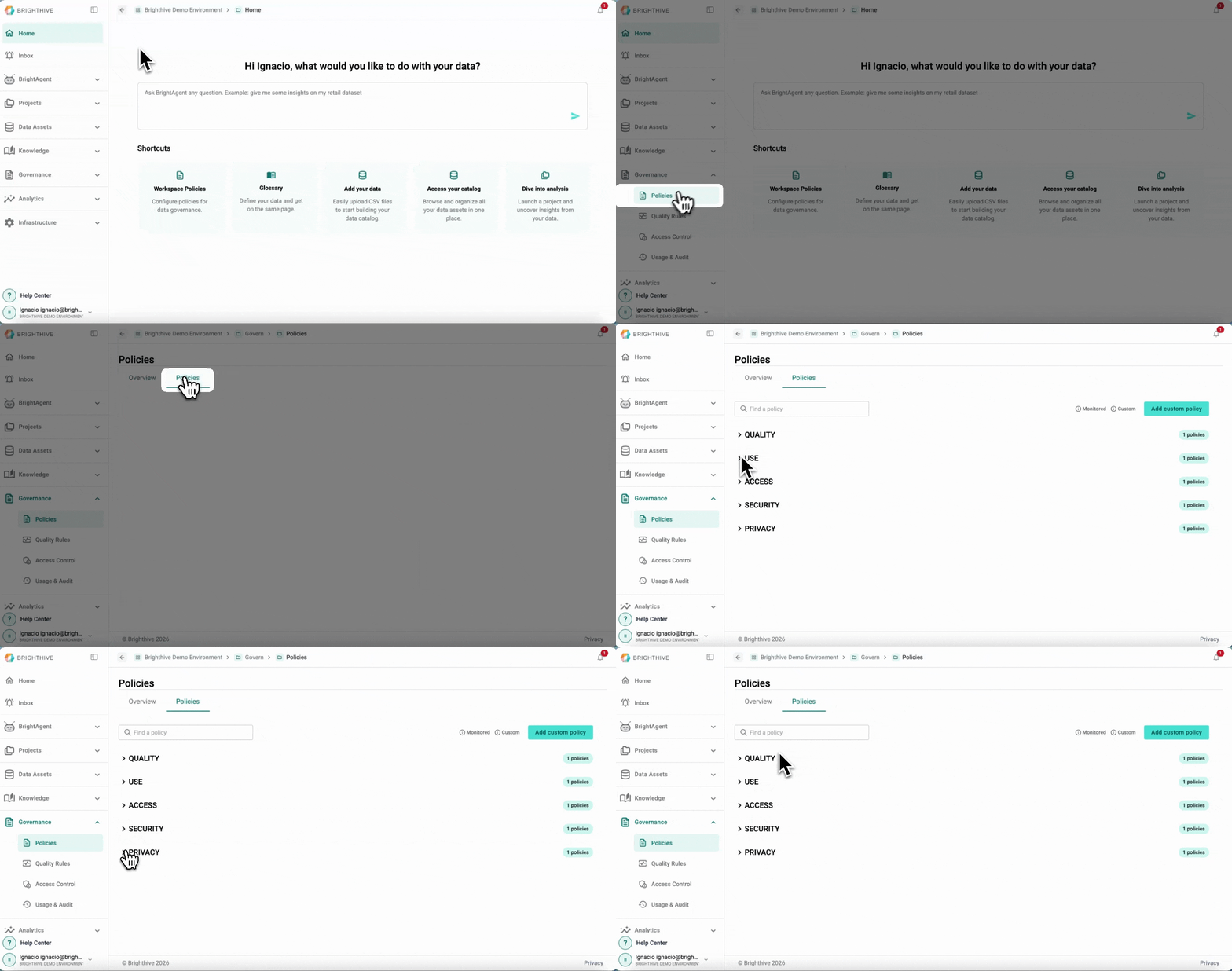
The Policies page provides an overview of the Policies governing a specific Brighthive Workspace.
While members with Admin, Collaborator, and Viewer permissions can view the Policies governing the Workspace, only Admin members have editing permissions. Once Workspace policies are set, all users are required to agree to the policies at time of account creation. When policies are updated, users are prompted to re-agree at their next log in.
To access all the Policies available in your Workspace:
Click "Governance"
Click "Policies"
Go to the Tab "Policies"
In this view, you can access the following information about each Policy:
Category (Access, Privacy, Quality, Security, Transparency, Use and Other)
Name
Added date
Added by
Description
Applied to
Reference documents
Active status
Enforced status
Admin only status