Activate/Deactivate an existing Policy in the Workspace
Last updated: July 28, 2026
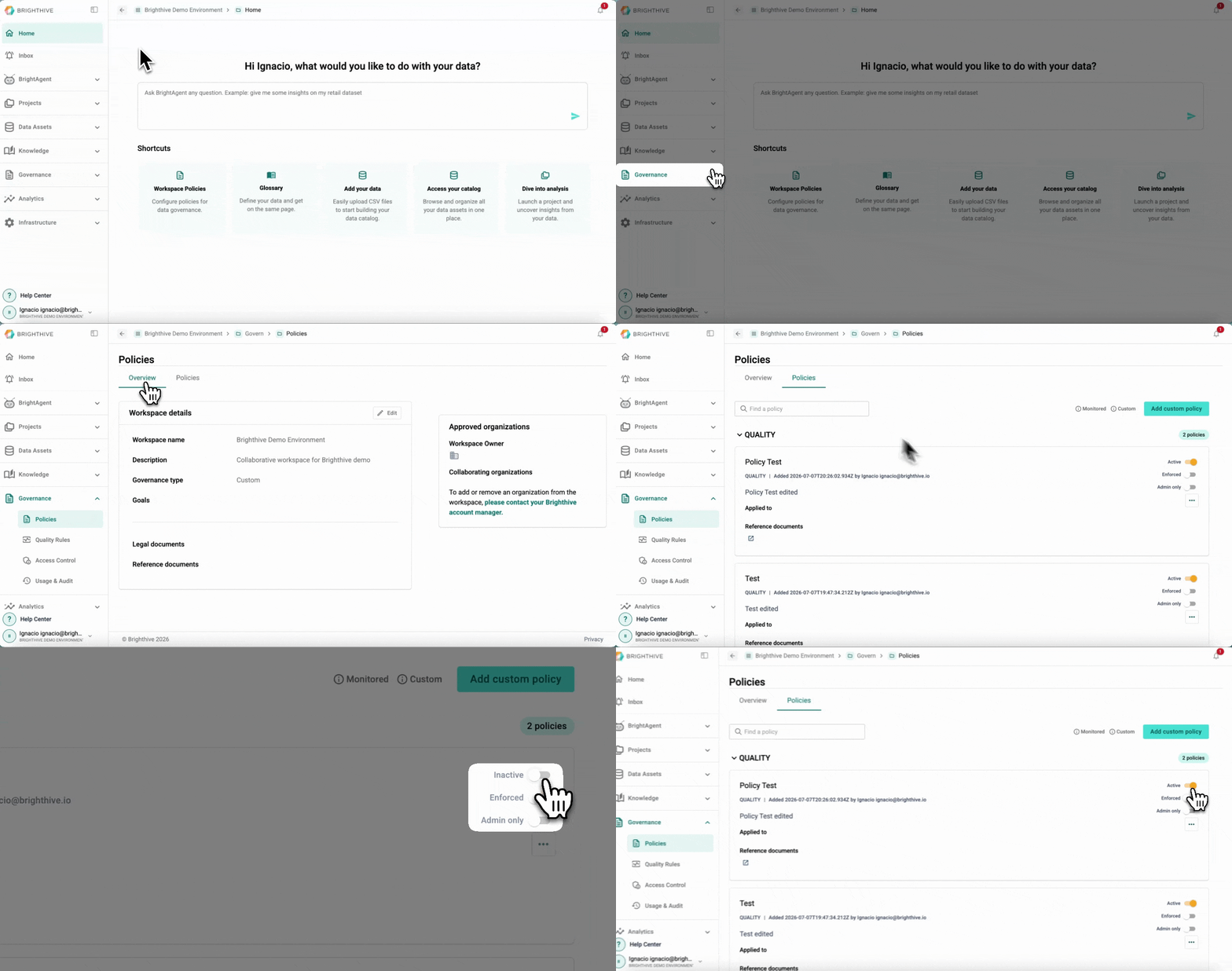
To activate/deactivate a Policy to the Workspace:
Click "Governance"
Click "Policies"
To activate, turn ON the first switch on the right side of the Policy you wish to activate
To deactivate, turn OFF the first switch on the right side of the Policy you wish to deactivate