Edit an existing Policy in the Workspace
Last updated: July 28, 2026
Once a Policy has been created, users can edit them in the future.
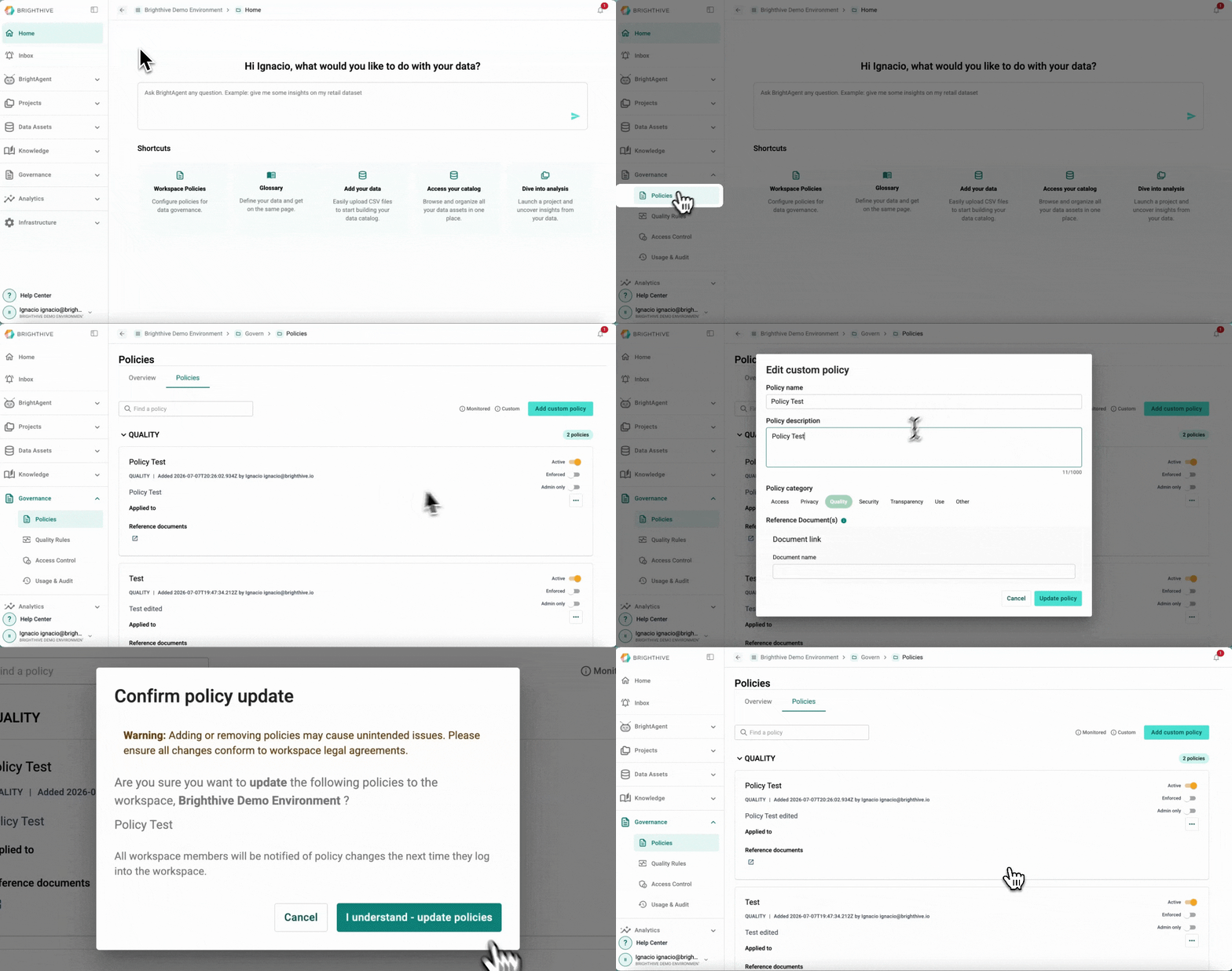
To add a new Policy to the Workspace:
Click "Governance"
Click "Policies"
Click "..." on the right side of the Policy you wish to edit
Select "Edit policy" from the list deployed
Edit a field
Confirm by clicking "Update policy"
A popup window will apear with a warning message about the impact of updating a Policy, confirm the editions made by clicking "I understand - update policies"
Fields that can be edited include:
Name
Description
Category
Reference Documents
Note: Only Admin members can edit Policies.