Add new Policy to Workspace
Last updated: July 28, 2026
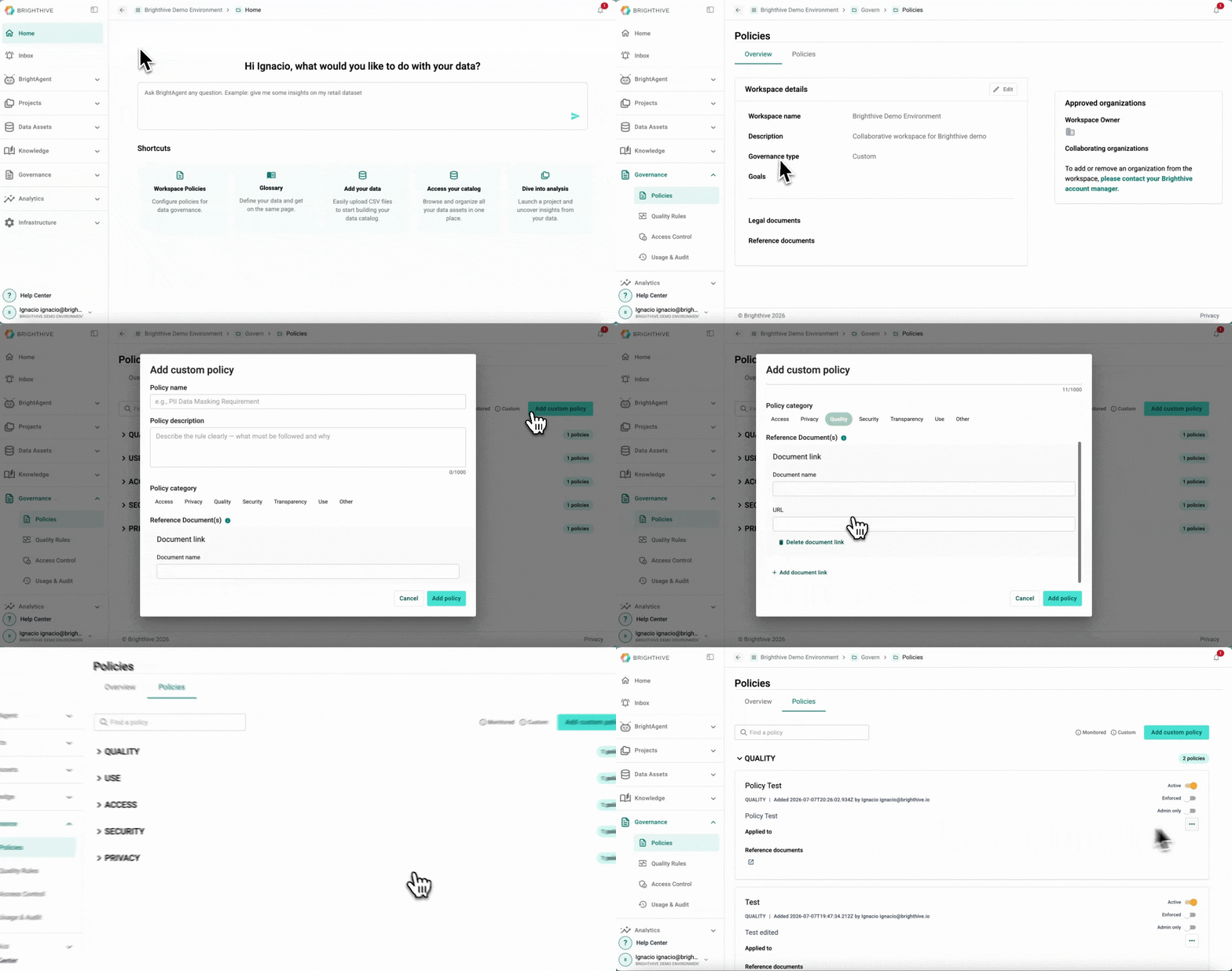
To add a new Policy to the Workspace:
Click "Governance"
Click "Policies"
Click "Add custom policy" on the top-right corner of the platform
Type the required information for the new Policy (Name, description, category and reference documents)
Confirm by clicking "Add policy"
A popup window will apear with a warning message about the impact of adding a new Policy, confirm the new Policy by clicking "I understand - add policies"