Add new Member to Workspace
Last updated: July 28, 2026
Members can be added to an existing Workspace.
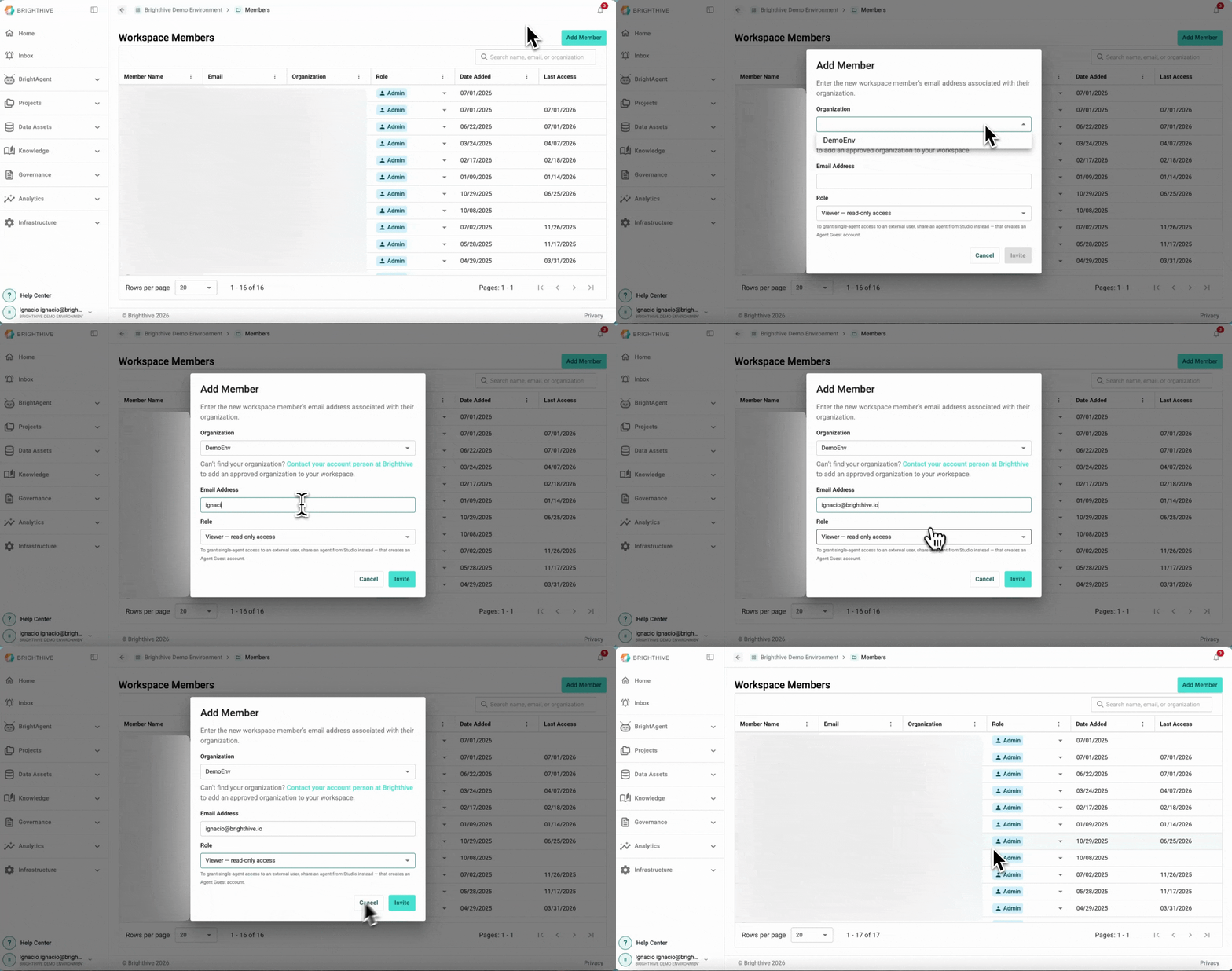
To add a new Members to an existing Workspace:
Click your name on the bottom-left corner of the platform
Click "Members"
Click "Add Member" on the top-right corner of the platform
Complete the information required for the new member (Organization, email and role)
Click "Invite"
The new member will appear on the table view, with status pending until they accept the invitation.
Note: It is recommend to enter email addresses in all lowercase letters, as the login process is case-sensitive.