Removing Member from Workspace
Last updated: July 28, 2026
In order to remove a Member from a Workspace, user's role must be Admin.
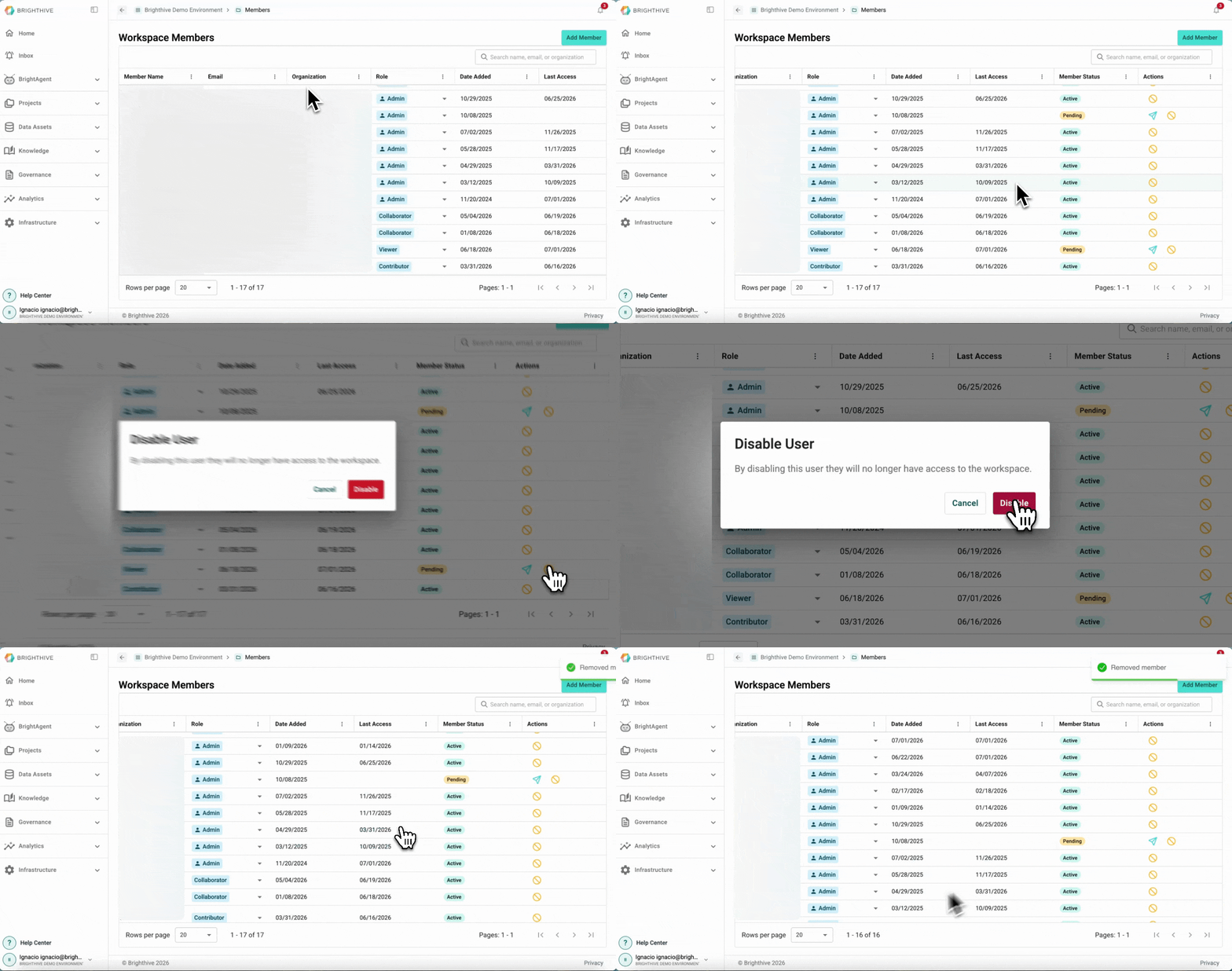
To remove a current Members from an existing Workspace:
Click your name on the bottom-left corner of the platform
Click "Members"
From the list of all the Members, go to the row of the Member you wish to remove, click the "Disable User" button on the "Actions" column on the right of the table
A popup window will appear, confirm you want to remove the Member from the Workspace by clicking the button "Delete"
The removed Member will no longer appear on the list of Members and access to the Workspace will be immediately revoked
Note: Removing a Member is a permanent measure and can't be reversed.