Organize your current Documents
Last updated: July 28, 2026
You can organize existing Documents using Folders on the Brighthive platform.
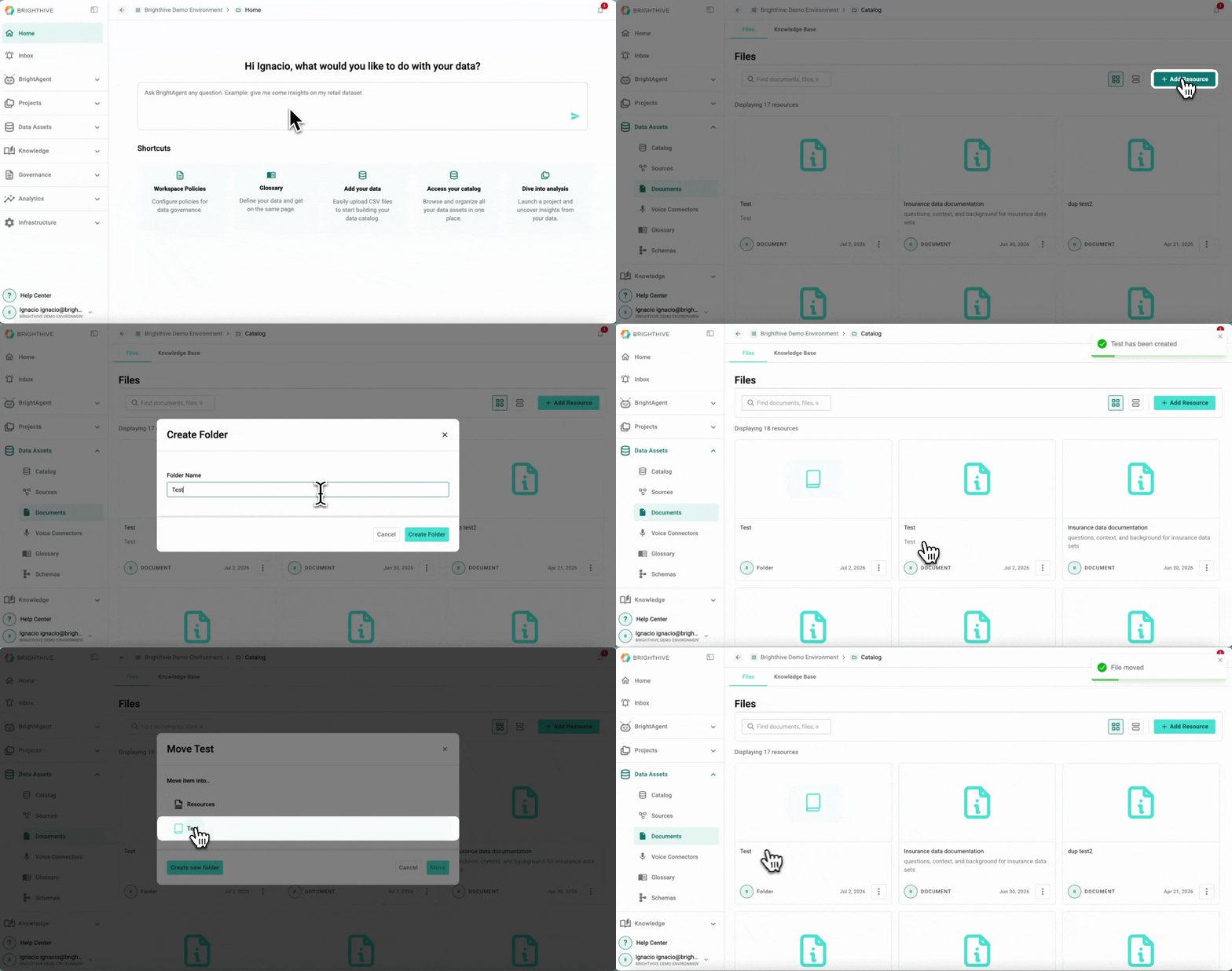
To create a new Folder:
Click "Data Assets"
Click "Documents"
Click "Add Resource" on the top-right corner of the platform
Select "Create Folder"
Enter the desired name of the Folder
Confirm the creation by clicking "Create Folder"
To move a Document to an existing Folder:
Click "Data Assets"
Click "Documents"
Click "..." of the Document you wish to move to the Folder
Select "Move" from the list displayed
Select the destination Folder
Confirm the movement by clicking "Move"