Edit current Documents
Last updated: July 28, 2026
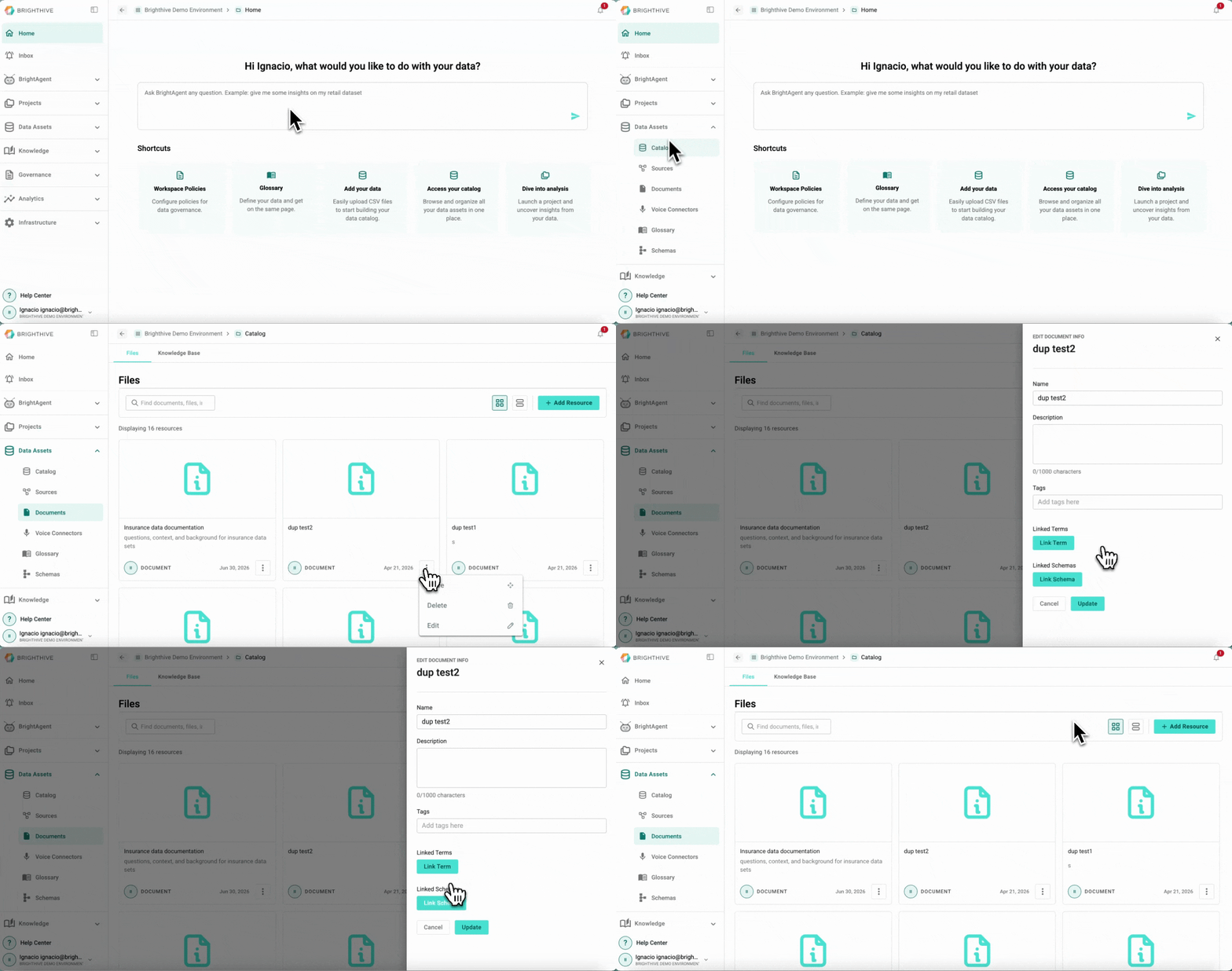
Once a Document has been added to the Workspace, users can edit it in the future.
To edit an existing Document in your Workspace:
Click "Data Assets"
Click "Documents"
Click "..." of the Document you wish to edit
Click "Edit" from the list displayed
Edit a field
Confirm by clicking "Update"