Delete a current Document
Last updated: July 28, 2026
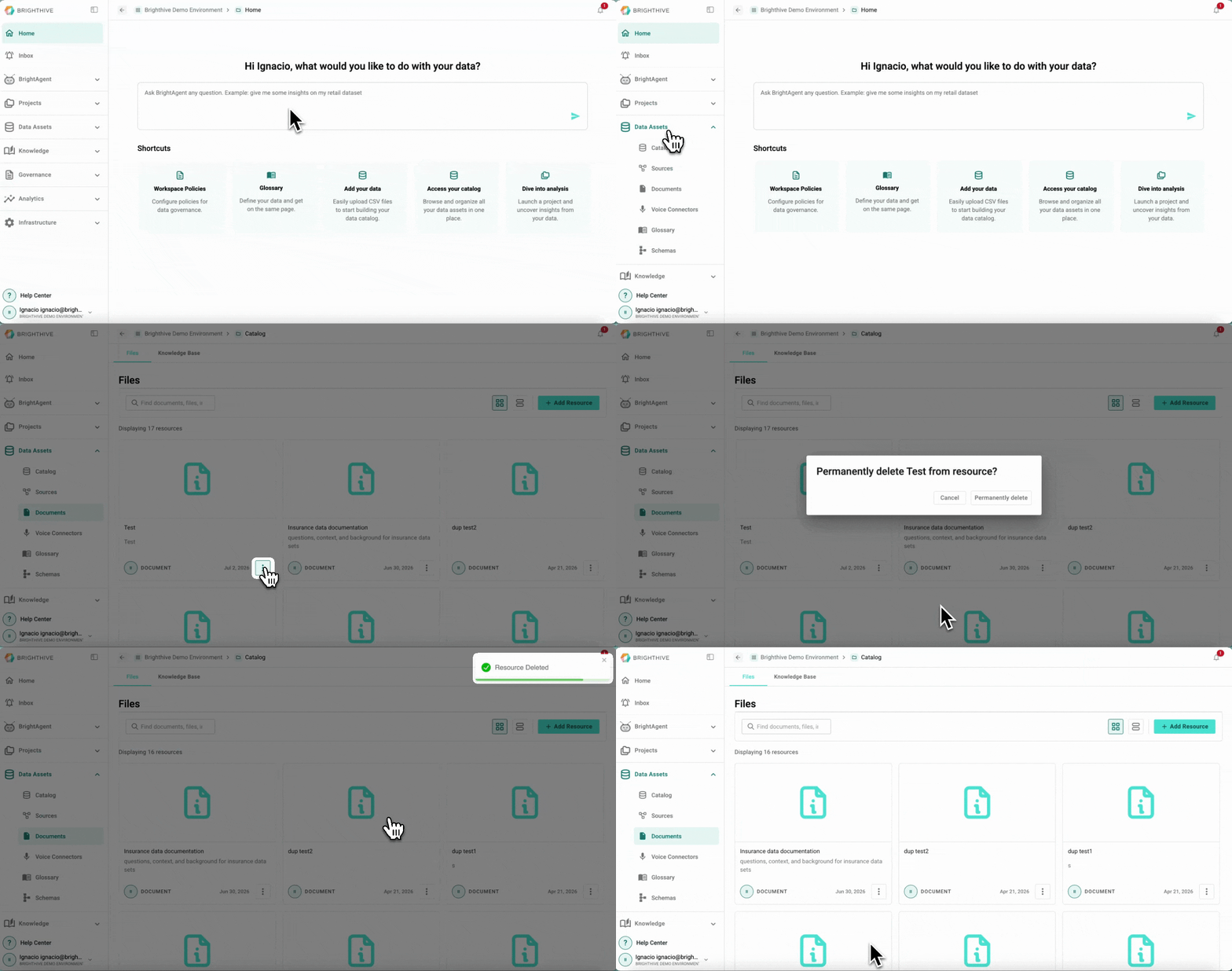
To delete an existing Document in your Workspace:
Click "Data Assets"
Click "Documents"
Click "..." of the Document you wish to delete
Click "Delete" from the list displayed
On the popup window click "Permanently delete"
Note: Deleting a Document is a permanent measure and can't be reversed.