Add new Documents
Last updated: July 28, 2026
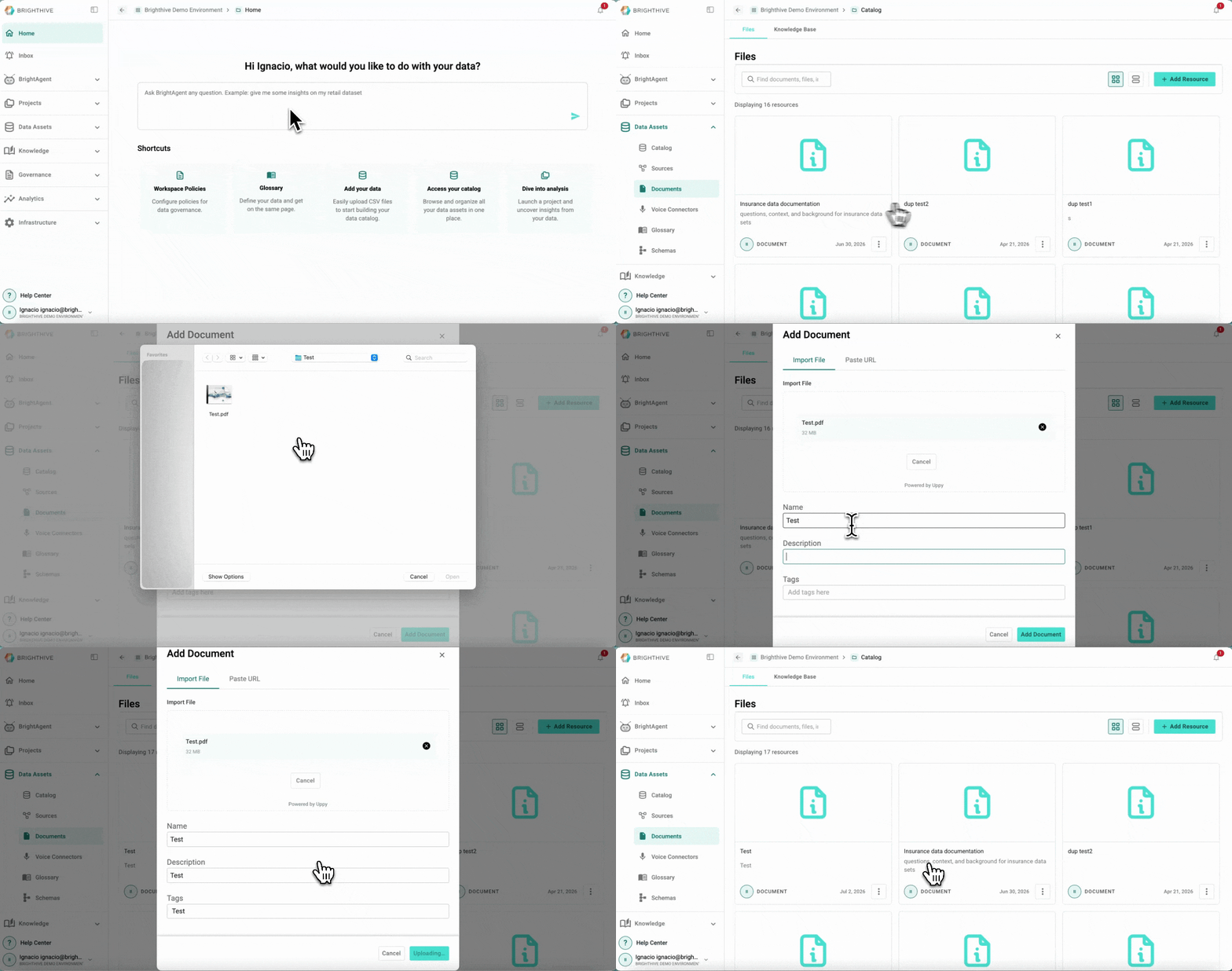
To add a new Document to your Workspace:
Click "Data Assets"
Click "Documents"
Click "Add Resource" on the top-right corner of the platform
Select the type of Document you wish to add to your Workspace (Folder, File, Image, Video or Link)
Upload the Document and it's details on the popup window
Confirm the addition of the Document