Edit Workspace Details
Last updated: July 28, 2026
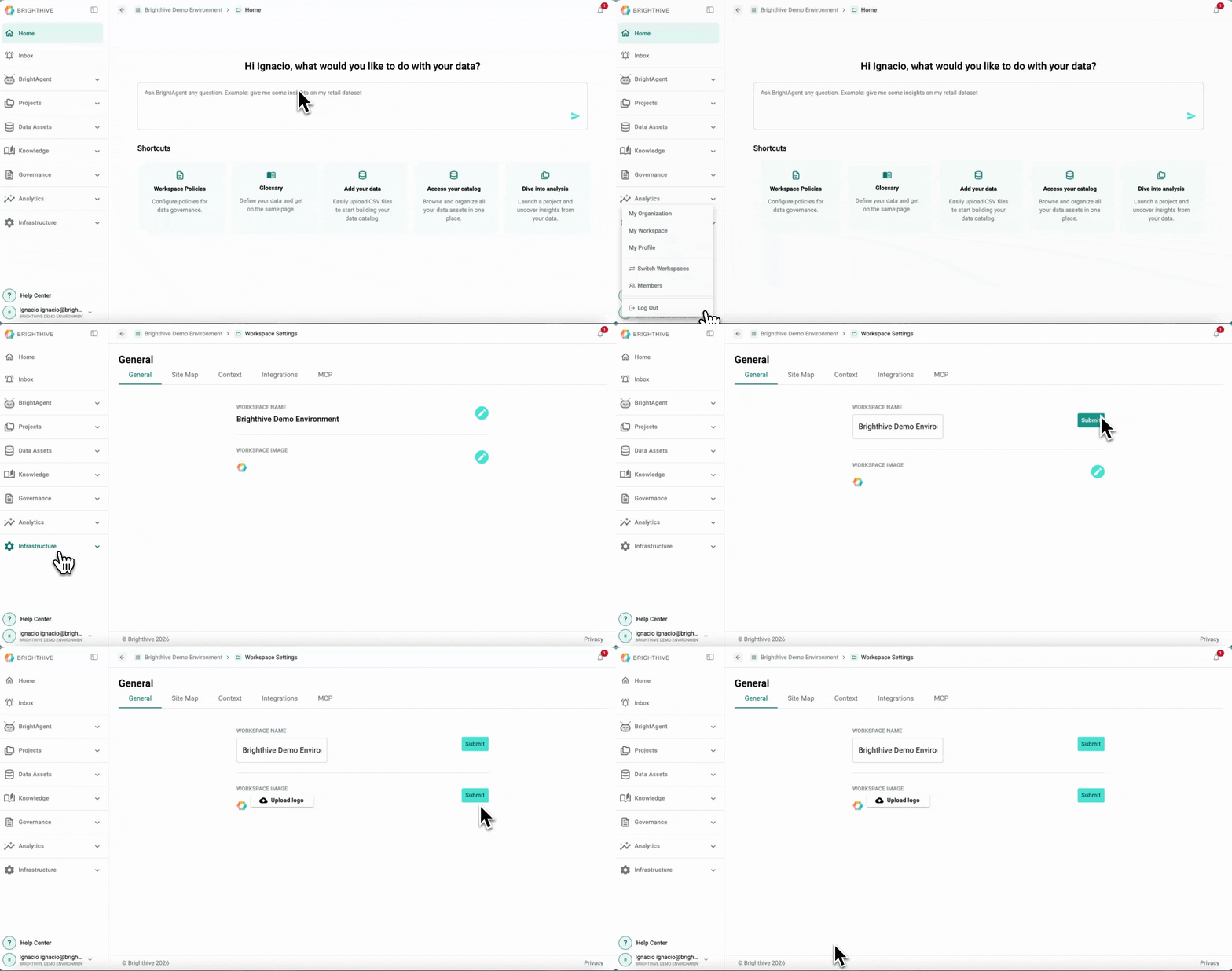
To edit a Workspace details:
Click your name on the bottom-left corner of the platform
Click "My Workspace"
Click the edit button of the field you wish to edit
Click "Submit" to confirm the changes
In this view, you can edit the following information about the Workspace:
Name
Logo
Note: In order to edit a Workspace, user's role must be Admin.