How to Switch Workspaces
Last updated: July 28, 2026
The ability to switch between workspaces will only appear if user log-in is associated with more than one workspace.
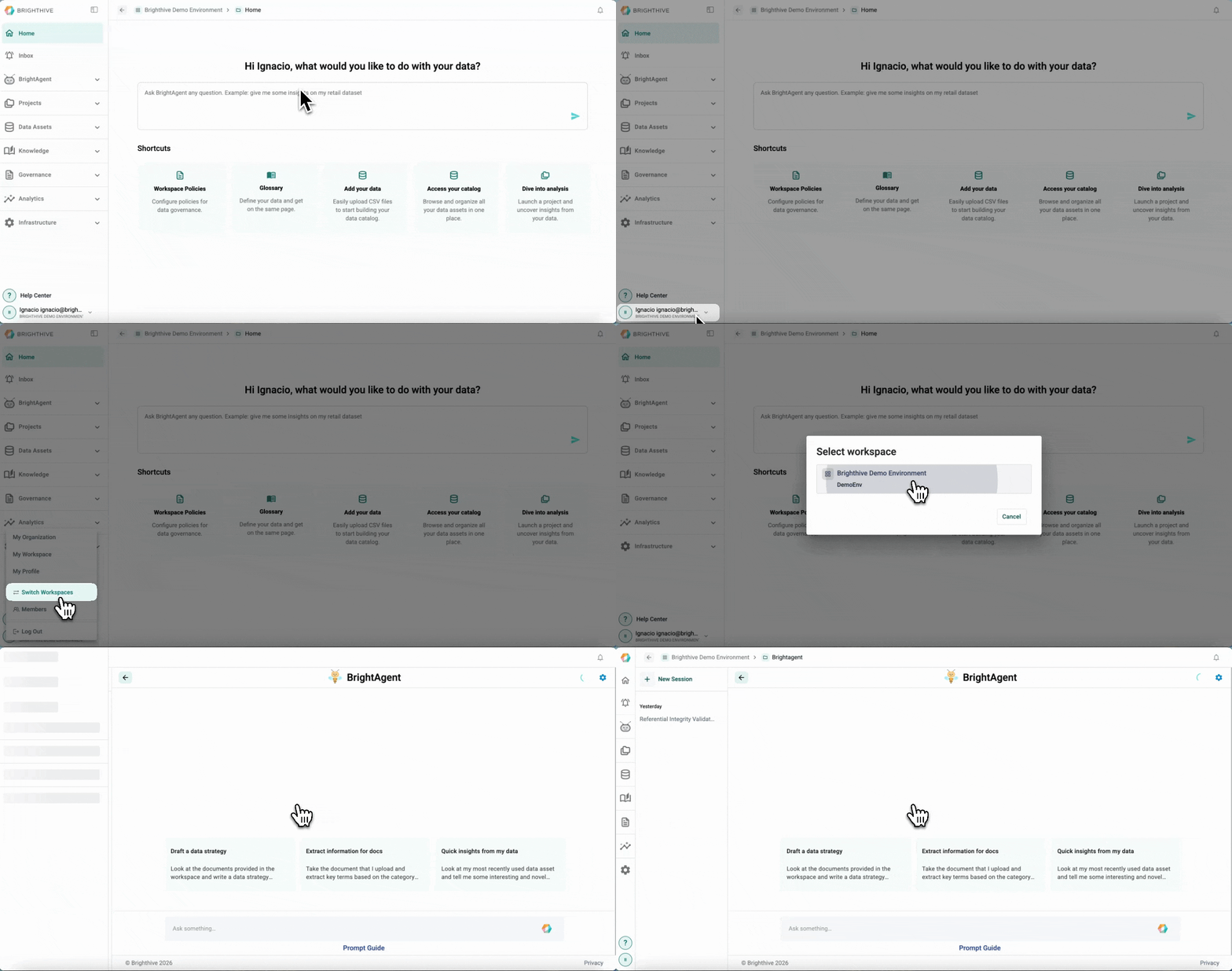
Click your name on the bottom-left corner of the platform
Click “Switch Workspaces”
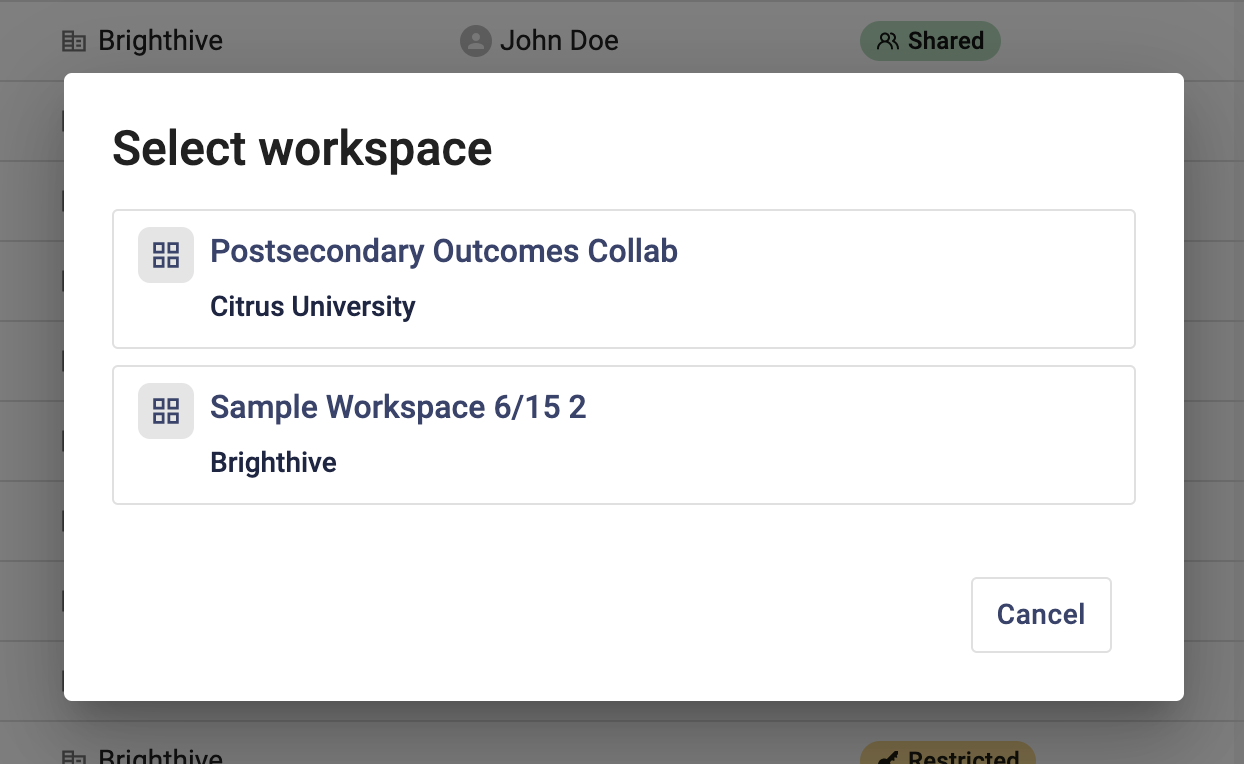
A popup window will appear, select the workspace you wish to enter
4. You will be redirected to the selected workspace