Edit an existing Project in the Workspace
Last updated: July 28, 2026
Once a Project has been created you can edit it's information in the future.
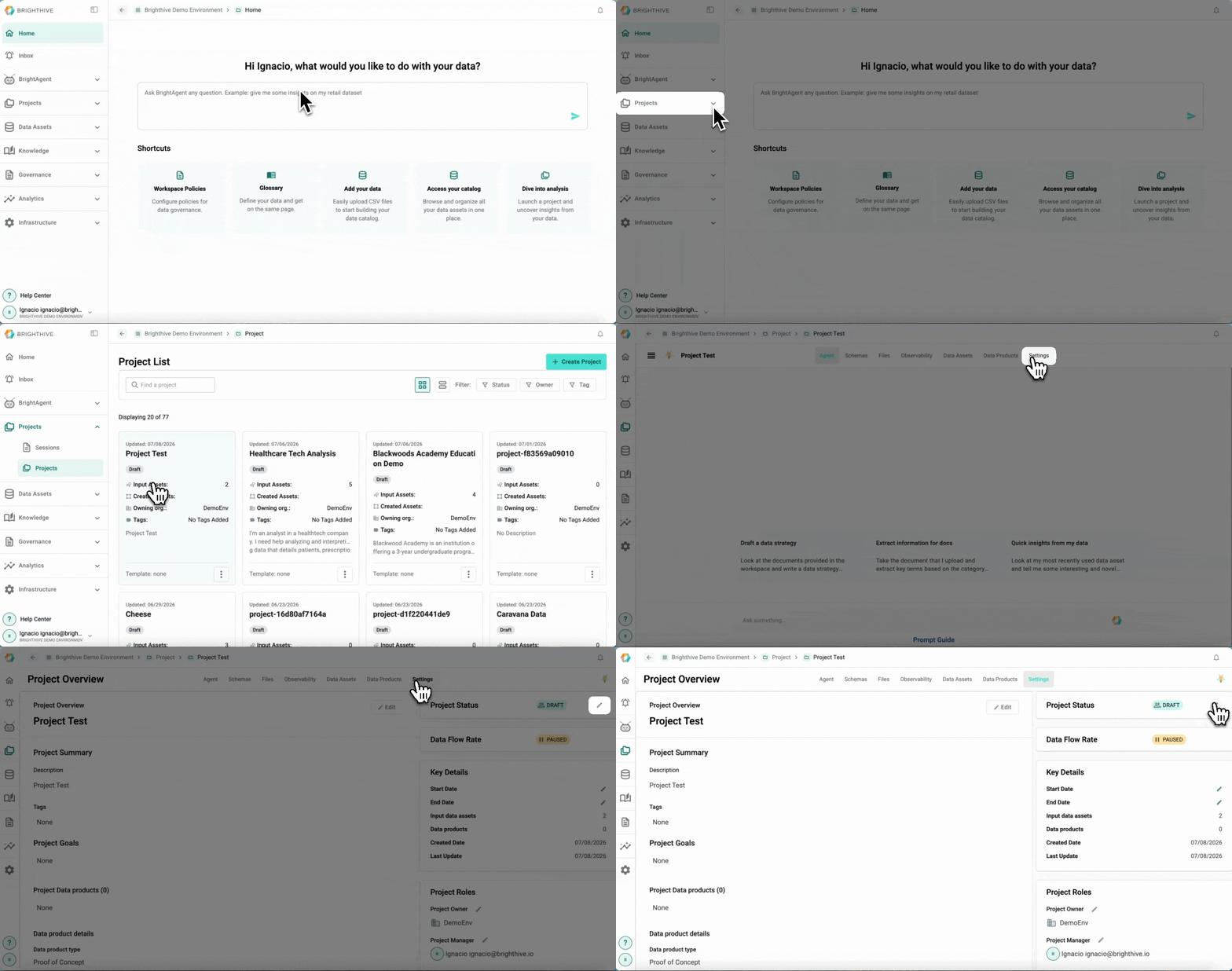
To edit an existing Project in the Workspace:
Click "Projects" on the left side of the platform
Click "Projects" on the list of options deployed
Click the name of the Project you wish to edit
Select "Settings" Tab
Select the edit icon next to the field you wish to edit
Make the required adjustments to the field
The fields that can be edited from an existing Project are:
Project Status
Start Date
End Date
Project Owner
Project Manager
Collaborating members
Project Name
Description
Tags
Project Goals
Data product type (Final data product or Proof of concept)
Data consumers
Background Material
Discussion chat