Add a new Project to the Workspace
Last updated: July 28, 2026
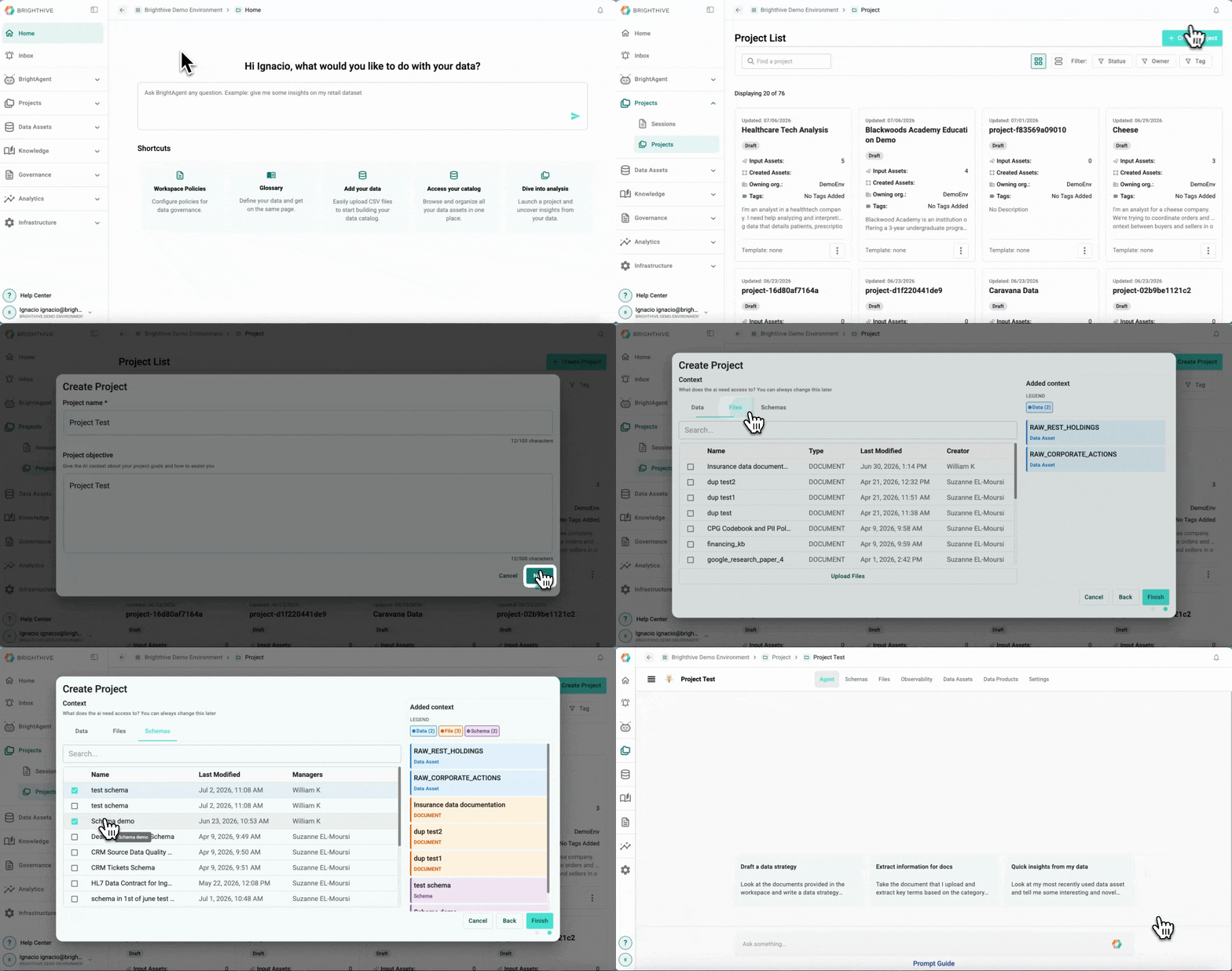
To add a new Project to the Workspace:
Click "Projects" on the left side of the platform
Click "Projects" on the list of options deployed
Click "Create Project" on the top-right corner of the platform
Type Project's name and objective (optional, but helps give AI context about your project goals and how to assist you) and then click "Next" to continue
On the "Data" tab select the Data Assets to link to the project, on the "Files" tab select the Documents to link to the project, on the "Schemas" tab select the Schemas to link to the project.
Click "Finish" to create the new Project