Change a Project Status
Last updated: July 28, 2026
Once a Project has been created you can change it's status in the future.
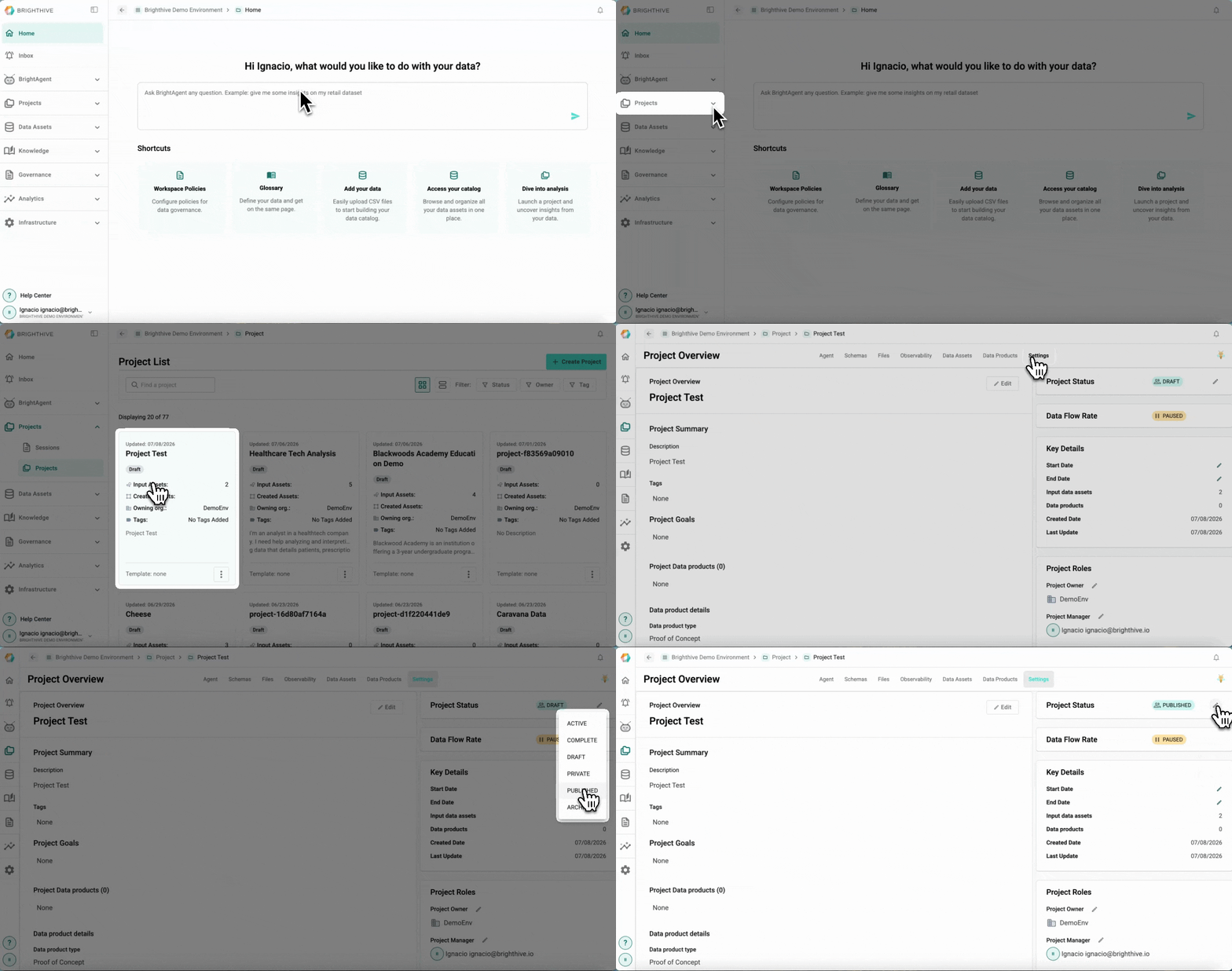
To change the status of an existing Project in the Workspace:
Click "Projects" on the left side of the platform
Click "Projects" on the list of options deployed
Click the name of the Project you wish to change it's status
Select "Settings" Tab
Select the edit icon next to the "Project Status" field on the top-right corner of the platform
From the list deployed, select the new status of the Project
Project statuses include:
Active: For projects that are currently being worked on and visible across teams
Complete: For projects that are fully configured, but not yet shared externally
Draft: For projects in planning stages and only shared amongst teams/collaborators as they gain traction
Private: Projects are only viewable by the user who created them
Published: For projects that are complete and shared externally
Archived: Projects are still accessible, but are filtered out of the default Projects list