View details of all existing Projects
Last updated: July 28, 2026
Projects landing page
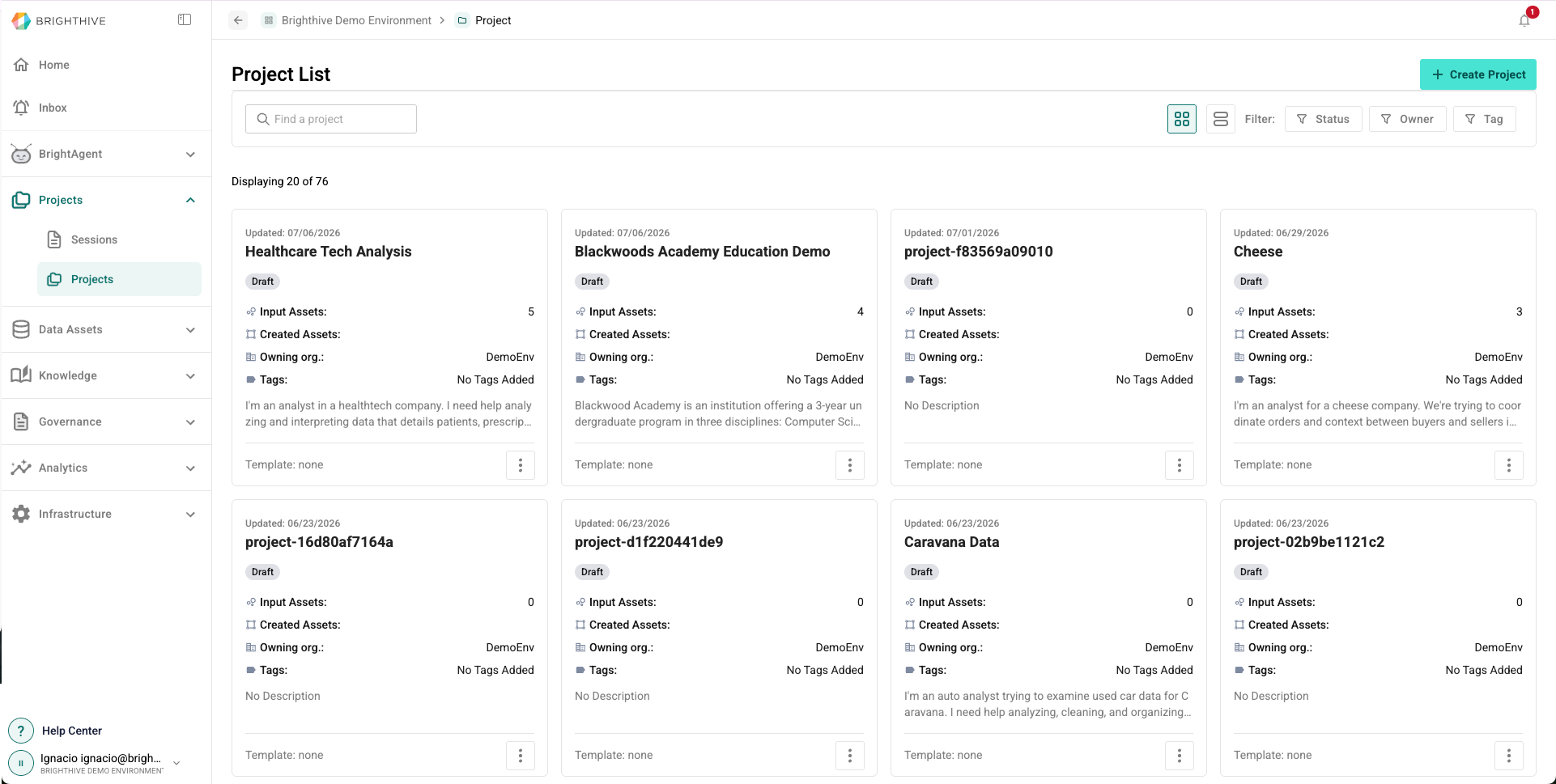
The Project List provides a visual overview of all projects that user and collaborators are engaged in. The Project List can be viewed in Card view (as shown above), or Table view.
In Table view, users can sort and filter by all available information of a Project.
In Card view, users can sort by Status, Owner and Tag.
Project statuses include:
Active: For projects that are currently being worked on and visible across teams
Complete: For projects that are fully configured, but not yet shared externally
Draft: For projects in planning stages and only shared amongst teams/collaborators as they gain traction
Private: Projects are only viewable by the user who created them
Published: For projects that are complete and shared externally
Archived: Projects are still accessible, but are filtered out of the default Projects lis
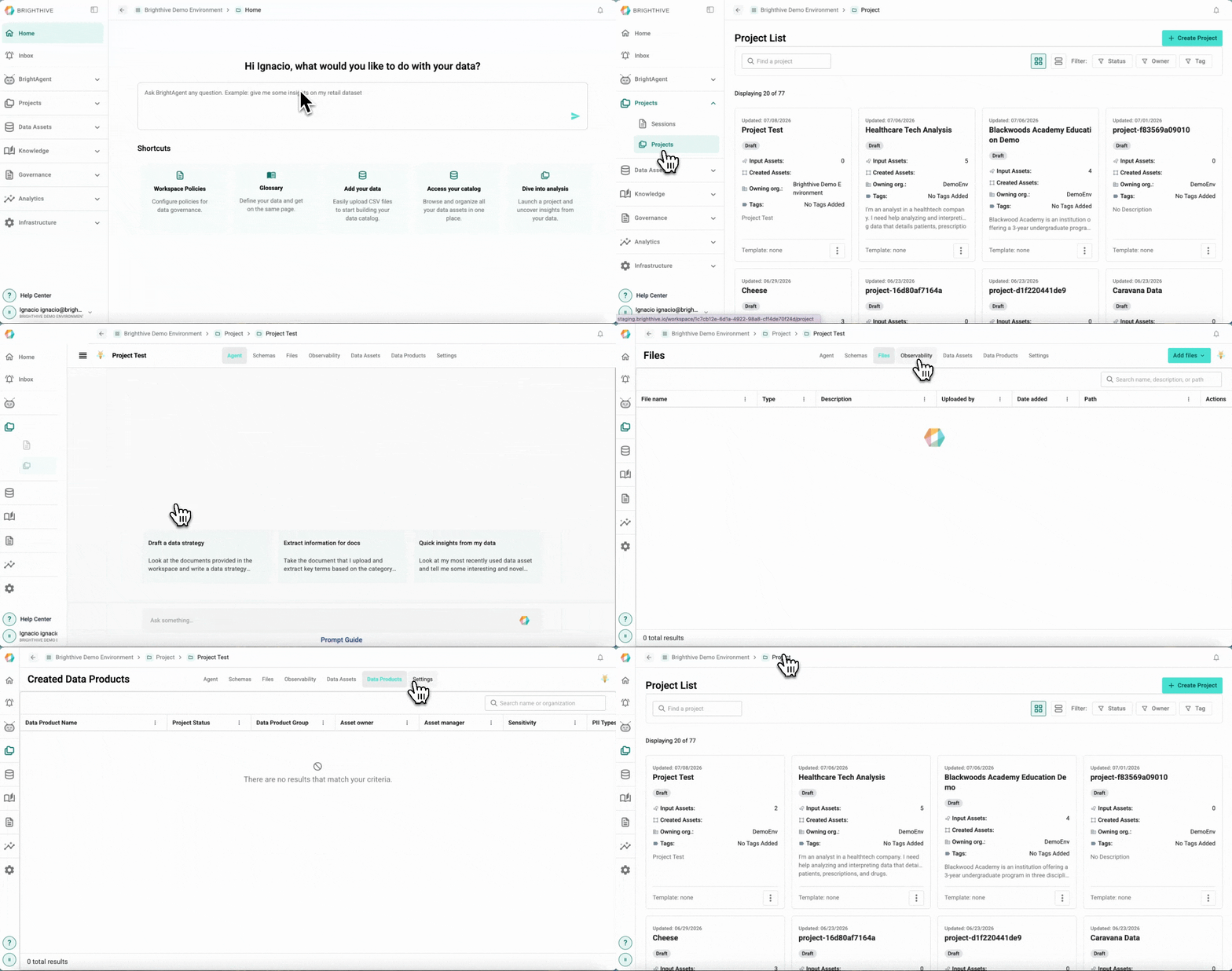
To access all the Projects available in your Workspace:
Click "Projects" on the left side of the platform
Click "Projects" on the list of options deployed
In this view, you can access the following information about each Project:
Name
Update date
Status
Number of Input Assets
Number of Created Assets
Organization Owner
Tags
Description
Project details
To view advance details of a particular Project:
Click "Projects" on the left side of the platform
Click "Projects" on the list of options deployed
Click on the name of the Project you wish to review
In this view, you can access the following information about each Project:
Agent
Past sessions
Schemas
Name
Description
Type
Status
Schema owner
Schema manager
Version
PII Types
Creation date
Updated date
Tags
Files
File name
Type
Description
Uploaded by
Date added
Path
Observability (Latest runs, dbt models, and pull requests)
Number of dbt models runs
Success rate of latest runs
Number of failed runs
Number of in flight runs
Last run date
Agent PRs to review
Recent runs
Data Assets
Data asset name
Input Group
Asset owner
Asset manager
Sensitivity
Description
Tags
Data refresh
Connection type
Data Products
Data Product Name
Project Status
Data Product Group
Asset owner
Asset manager
Sensitivity
PII Types
Creation date
Updated date
Description
Tags
Data refresh
Connection type
Settings
Project Status
Data Flow Rate
Start Date
End Date
Number of Input data assets
Number of Data products
Creation date
Last update date
Project owner
Project Manager
Contributing members
Project's description
Tags
Project goals
Project Data products
Data product type
Data sensitivity
Data consumers
Background Material
Discussion chat