Add new Term to Glossary
Last updated: July 28, 2026
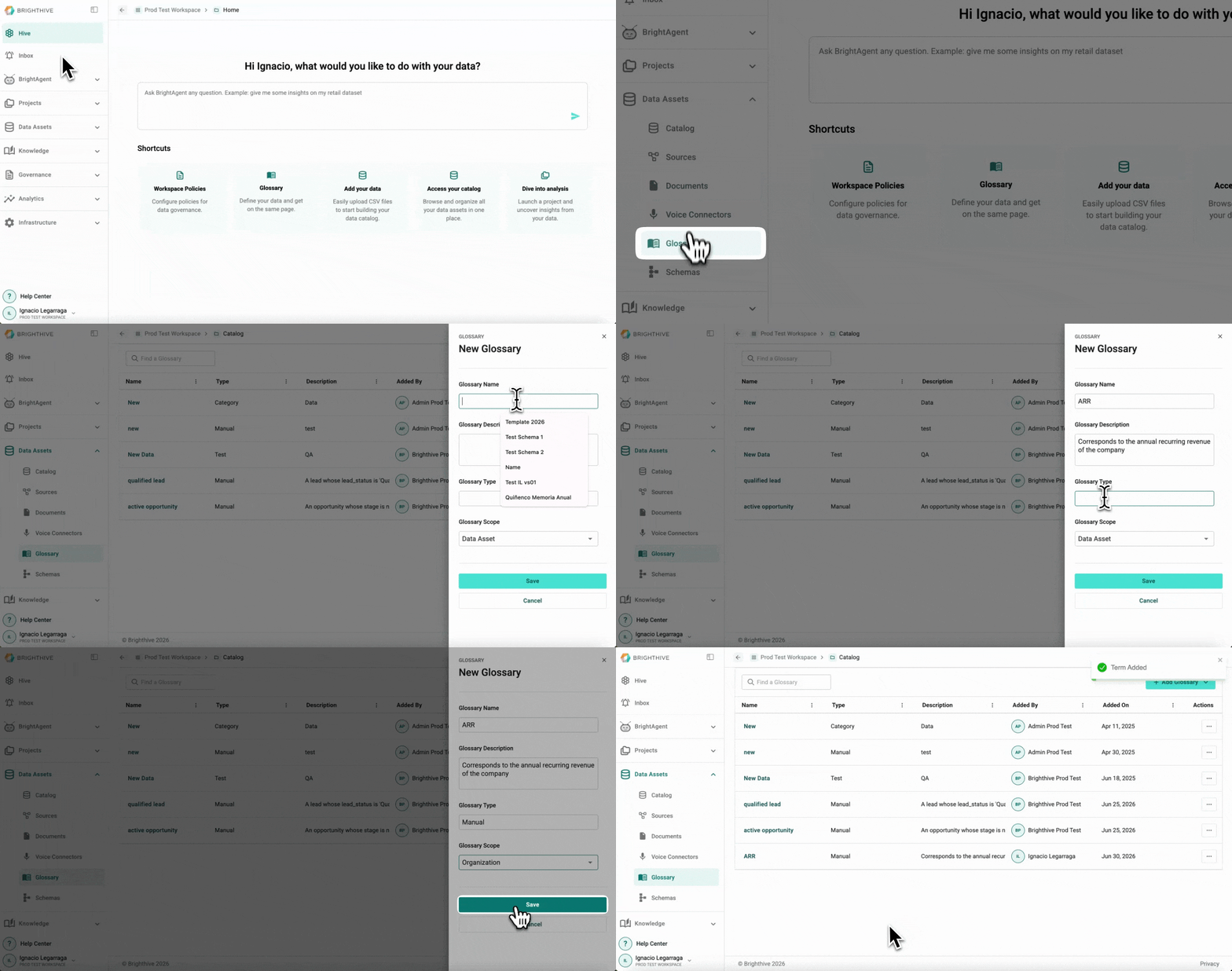
To add a new Term to the Glossary:
Select "Data Assets"
Select "Glossary"
Click "Add Glossary" on the top right corner
Click "Add Manually"
Type term's name, description, type and scope
Click "Save"