Delete Term in Glossary
Last updated: July 28, 2026
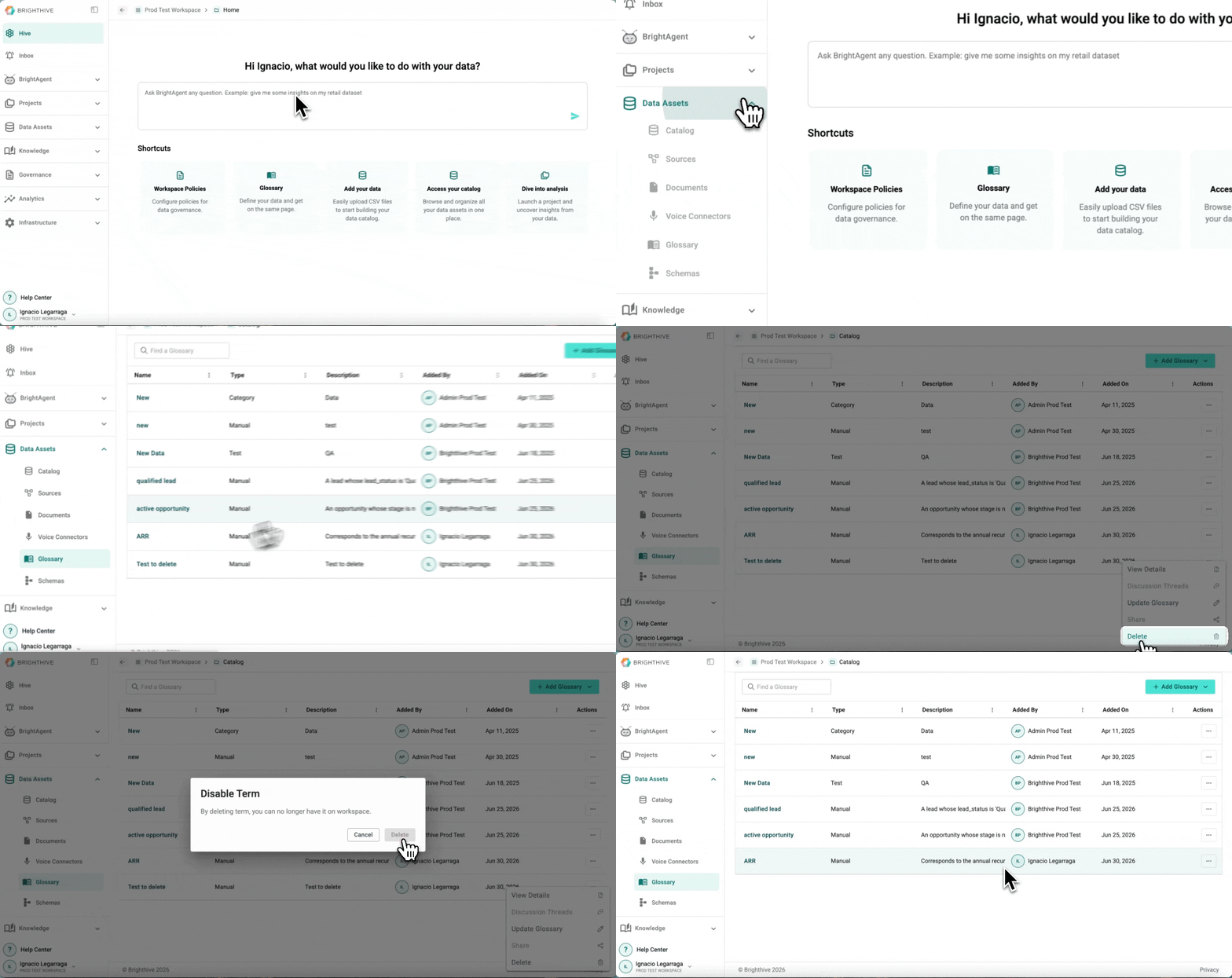
In case a Term is no longer required, users can delete them from the Glossary. This action is irreversible.
To delete an existing Term from the Glossary:
Select "Data Assets"
Select "Glossary"
Click "..." of "Actions" column of the Term you wish to edit
Click "Delete"
On the pop-out message, click "Delete"