View all your Terms in Glossary
Last updated: July 28, 2026
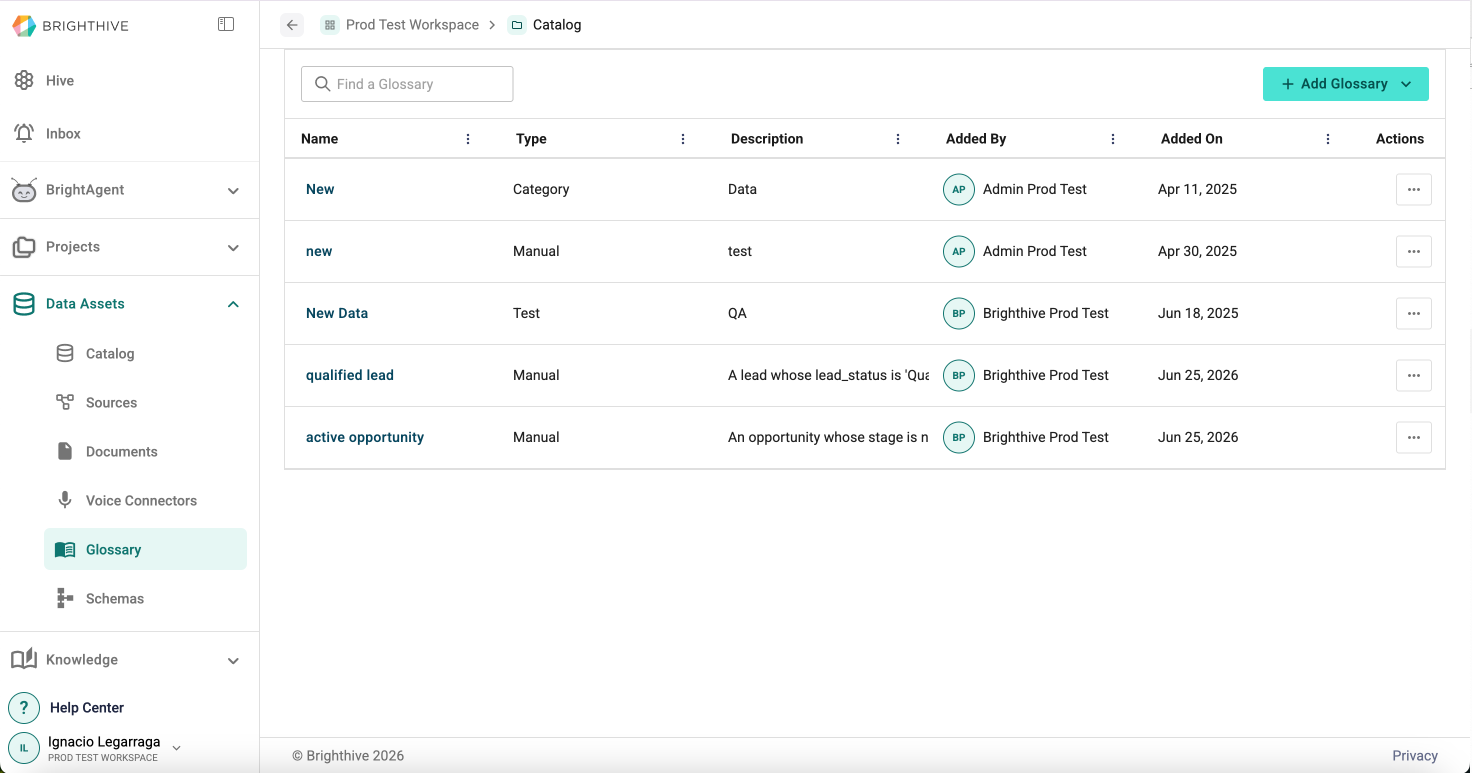
Terms within Glossary provides space for teams to align on specific definitions relevant to their workspace and project. Glossary can not only be used by end users, but also serve as the source of knowledge for BrightAgent.
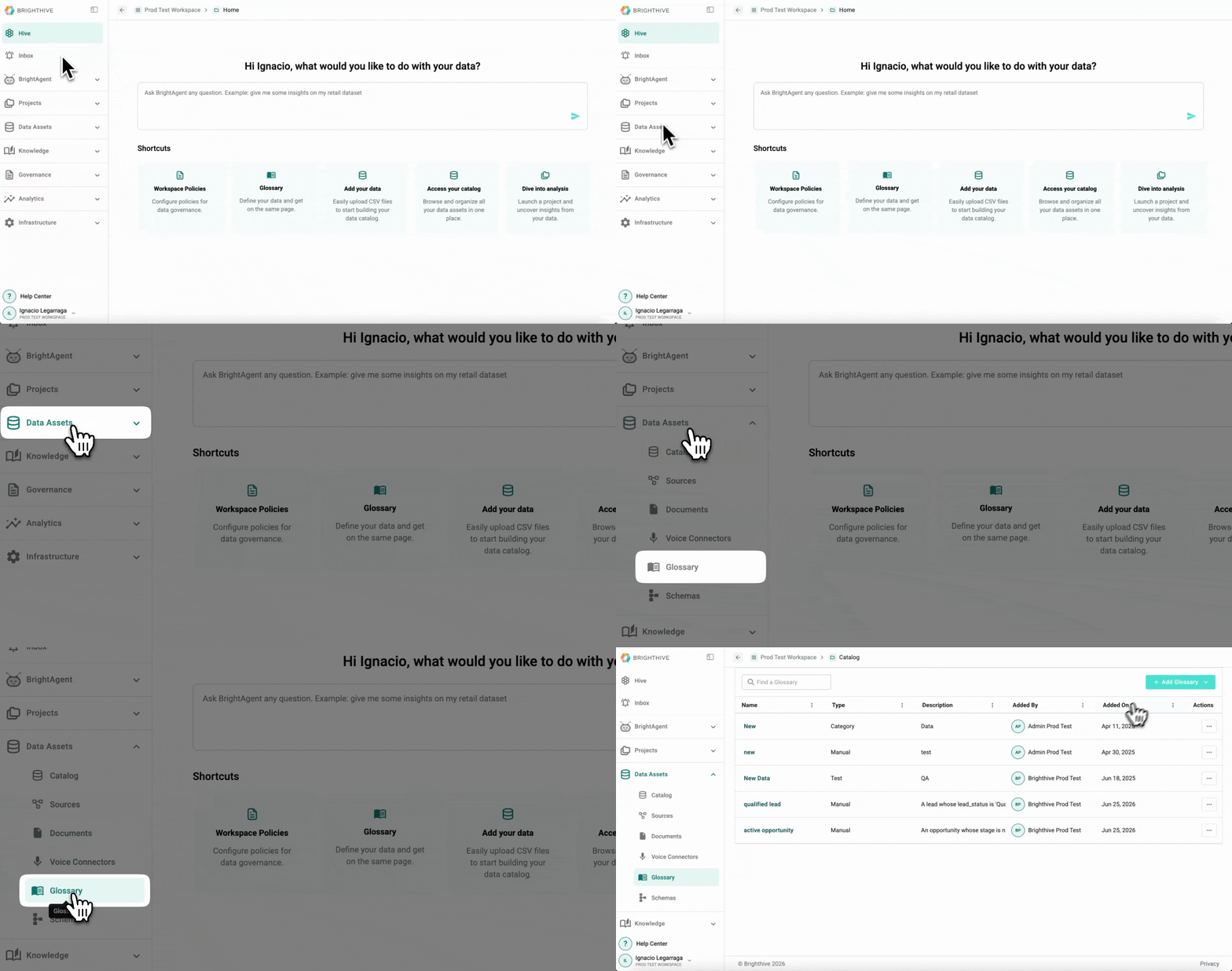
To access all the Terms available in Glossary:
Select "Data Assets"
Select "Glossary"
In this view, you can access the following information about each Term:
Name
Type
Description
Added By
Added On