Delete a Data Asset from the Catalog
Last updated: July 28, 2026
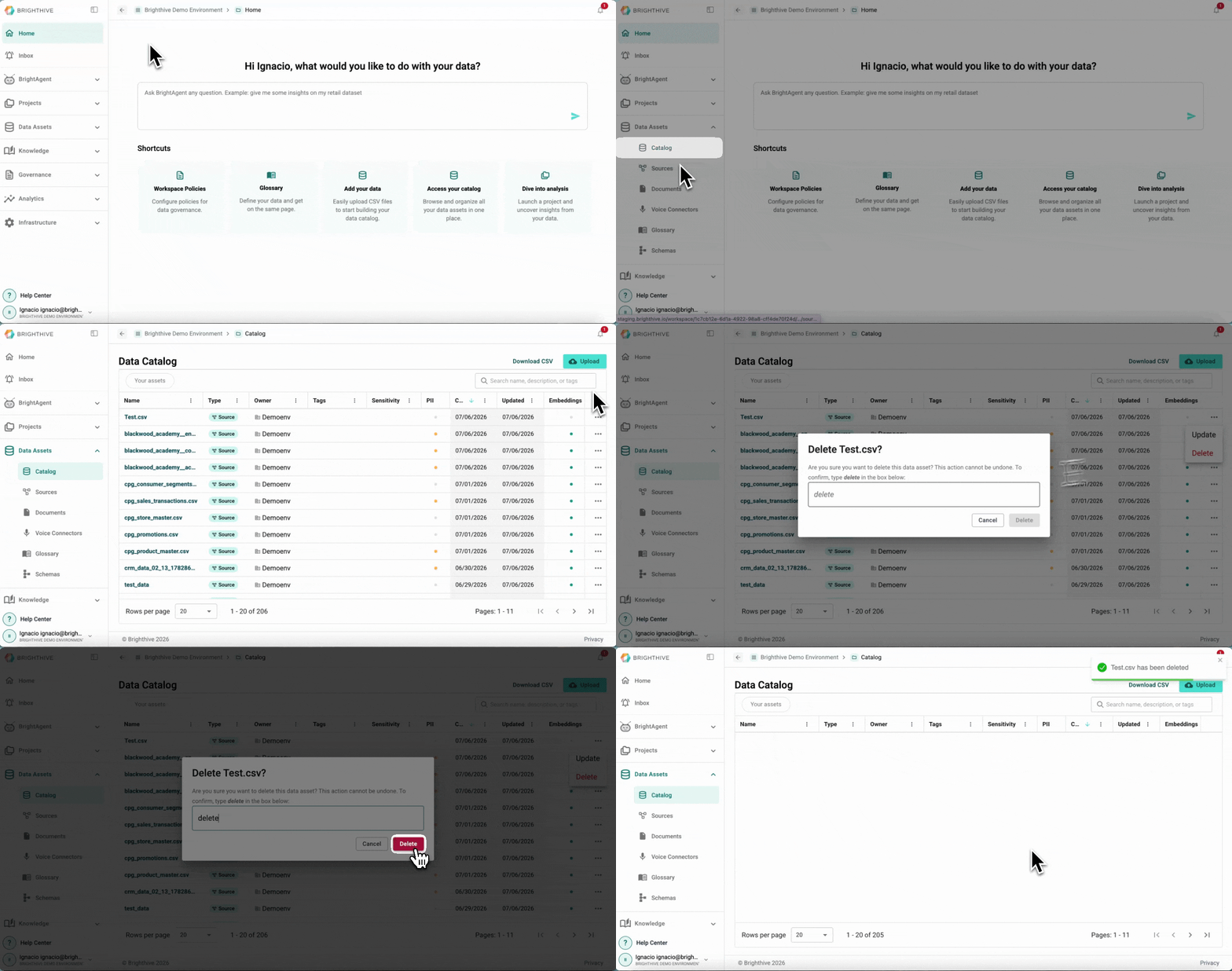
To delete a current Data Assets from the Catalog:
Click "Data Assets"
Click "Catalog"
Click "..." of the Data Asset you wish to delete
Click "Delete" from the list displayed
On the popup window, type "delete" and click "Delete"
Note: Deleting a Data Asset is a permanent measure and can't be reversed.