Connect GitHub to your Workspace
Last updated: July 28, 2026
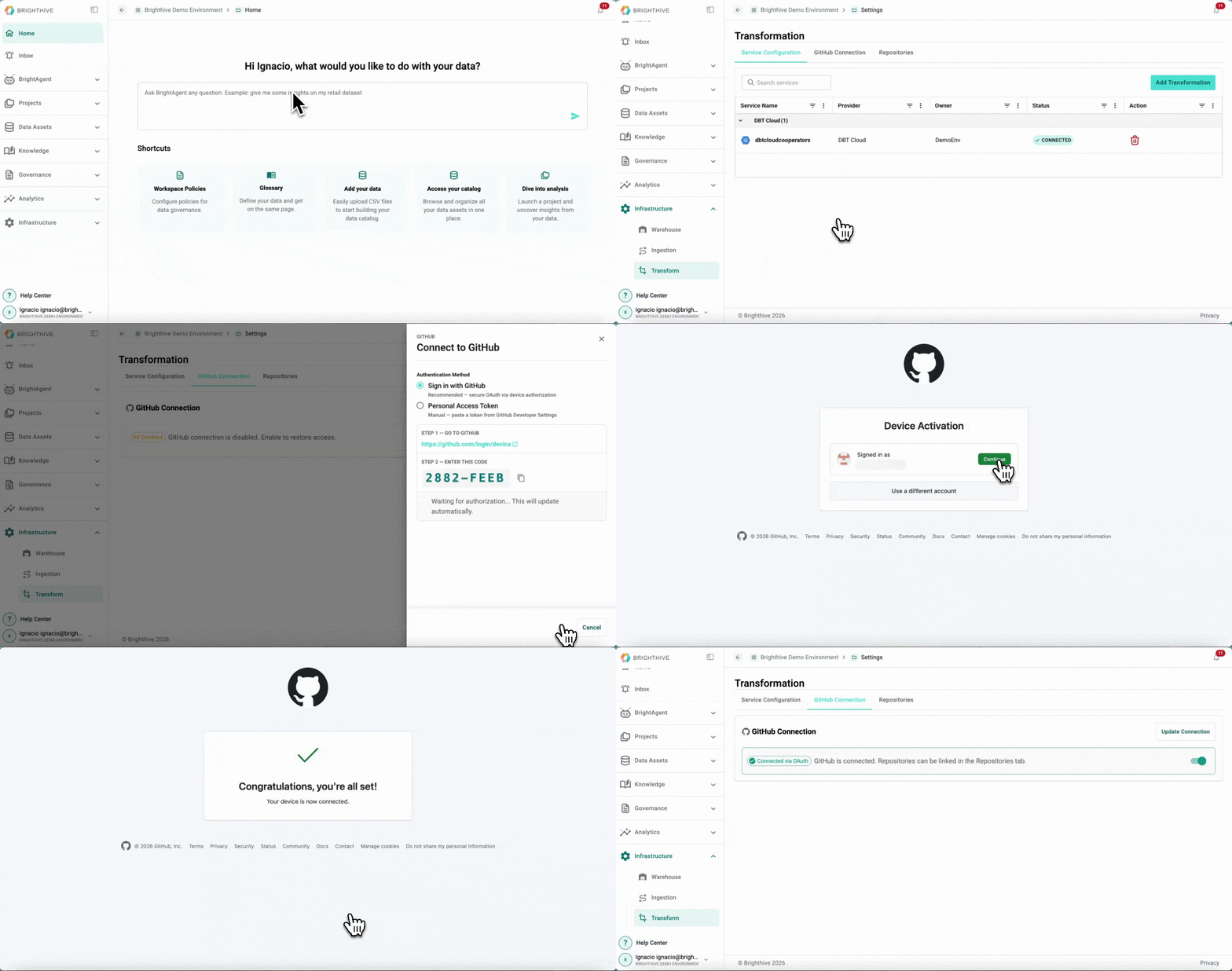
To connect GitHub to your Workspace:
Click "Infrastructure" on the left side of the platform
Click "Transform" on the list of options deployed
On the "GitHub Connection" Tab, click "Connect GitHub" on the top-right corner of the platform
Select your preferred connection method and then click "Connect with GitHub"
Go to the GitHub link provided and follow the instructions