Add a new Transformation to your Workspace
Last updated: July 28, 2026
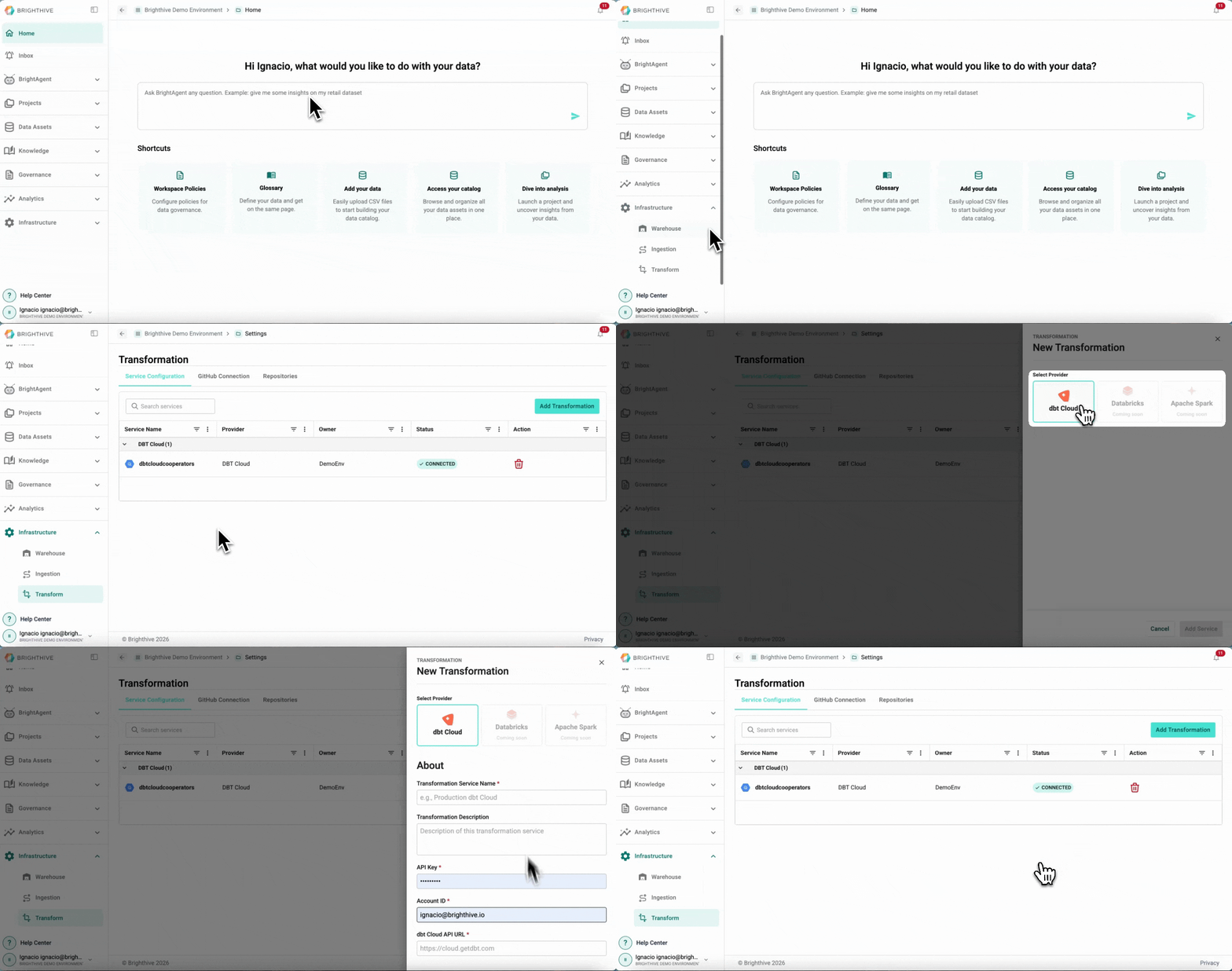
To add a new Transformation to your Workspace:
Click "Infrastructure" on the left side of the platform
Click "Transform" on the list of options deployed
On the "Service Configuration" Tab, click "Add Transformation" on the top-right corner of the platform
Select the provider of the Transformation to add
Complete the information required to add the Transformation (it may vary depending on the provider)
Confirm the addition by clicking "Add Service"