View all Transformations in your Workspace
Last updated: July 28, 2026
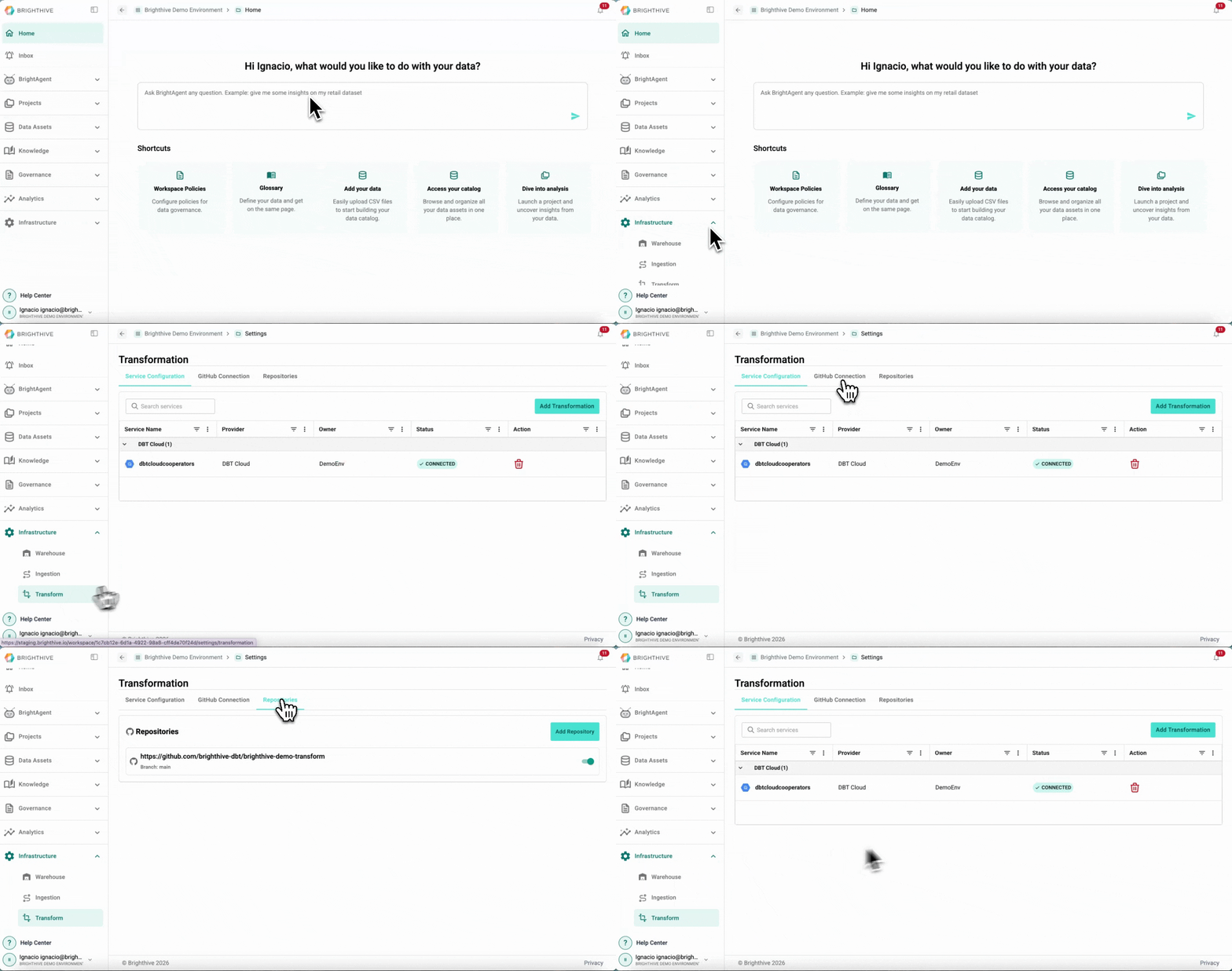
To access all the Transformations in your Workspace:
Click "Infrastructure" on the left side of the platform
Click "Transform" on the list of options deployed
Select the tab with the information you wish to review, you can select from Service Configurations, GitHub Connection and Repositories
You can access the following information about in each tab:
Service Configuration
Service Name
Provider
Owner
Status
GitHub Connection
Status of GitHub Connection
Repositories
List of repositories added to the Workspace