View details of all your Connected Data Sources
Last updated: July 28, 2026
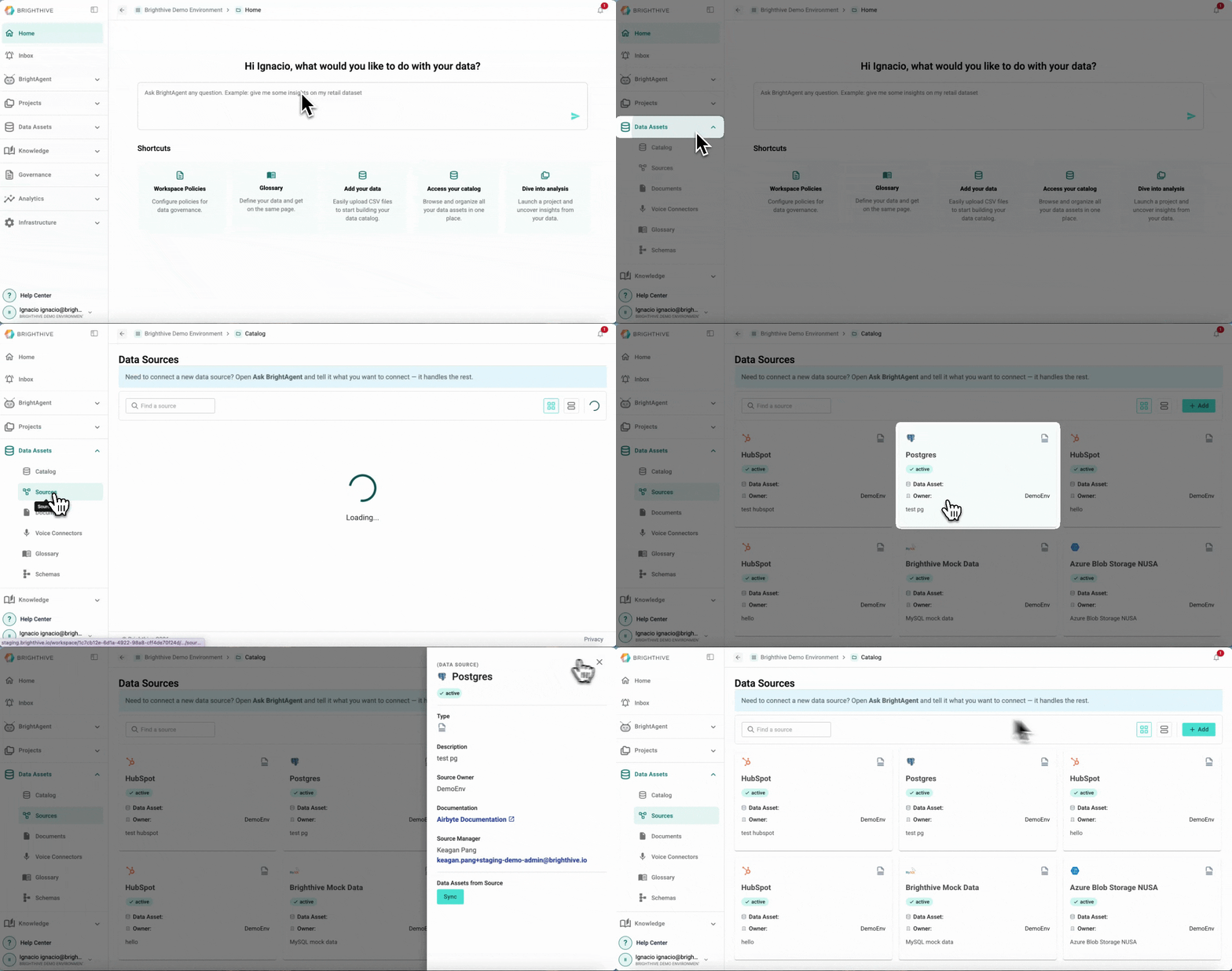
To access all the Data Sources connected to your Workspace:
Click "Data Assets"
Click "Source"
Click in the Data Source you wish to have additional details
In this view, you can access the following information about each Data Source:
Name
Source platform
Active status
Source Owner
Documentation
Source Manager