Add a new Data Source Connection
Last updated: July 28, 2026
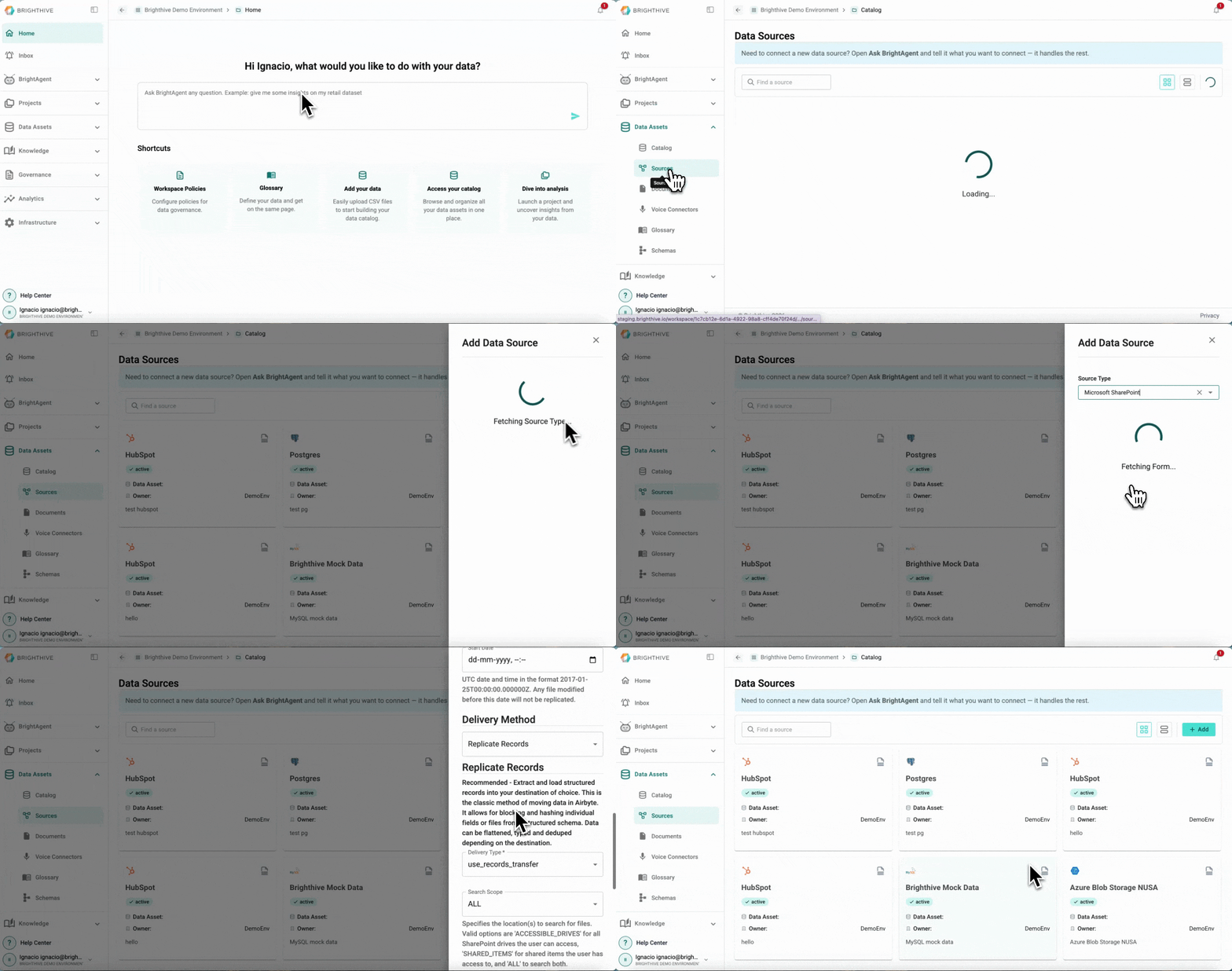
To add a new Data Source Connection to your Workspace:
Click "Data Assets"
Click "Source"
Click "Add" on the top-right corner of the platform
Click "Data Source"
Select the Data Source type you wish to connect from the list of available data connections
Add the Data Source details, they may vary depending on the Data Source to connect
Click "Submit"
Can't find your data source or you you have an in-house developed data source?
Brighthive can also create custom connectors that run as docker images using the same Airbyte protocol. Interested in a custom connector? Reach out to support@brighthive.io for more details on pricing and availability or use your BrightAgent to help you create one.