Add new Schema
Last updated: July 28, 2026
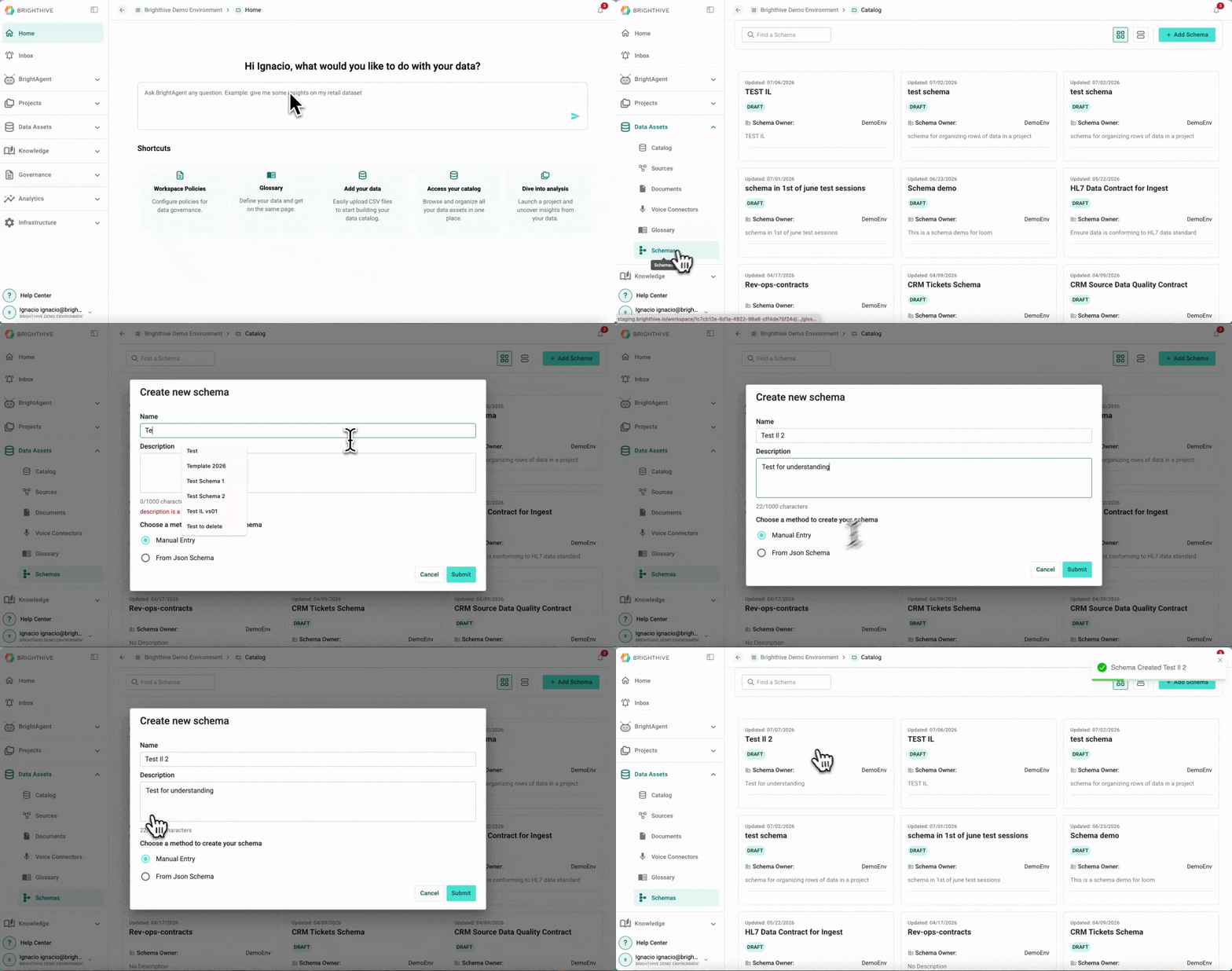
To add a new Schema to the Workspace:
Click "Data Assets"
Click "Schemas"
Click "Add Schema" on the top-right corner of the platform
Type Schema's name and description
Choose a creation method between manual entry and JSON Schema
If creation method is from JSON Schema, type the JSON Schema
Click "Submit"