Adjust BrightAgent Chat Settings
Last updated: July 28, 2026
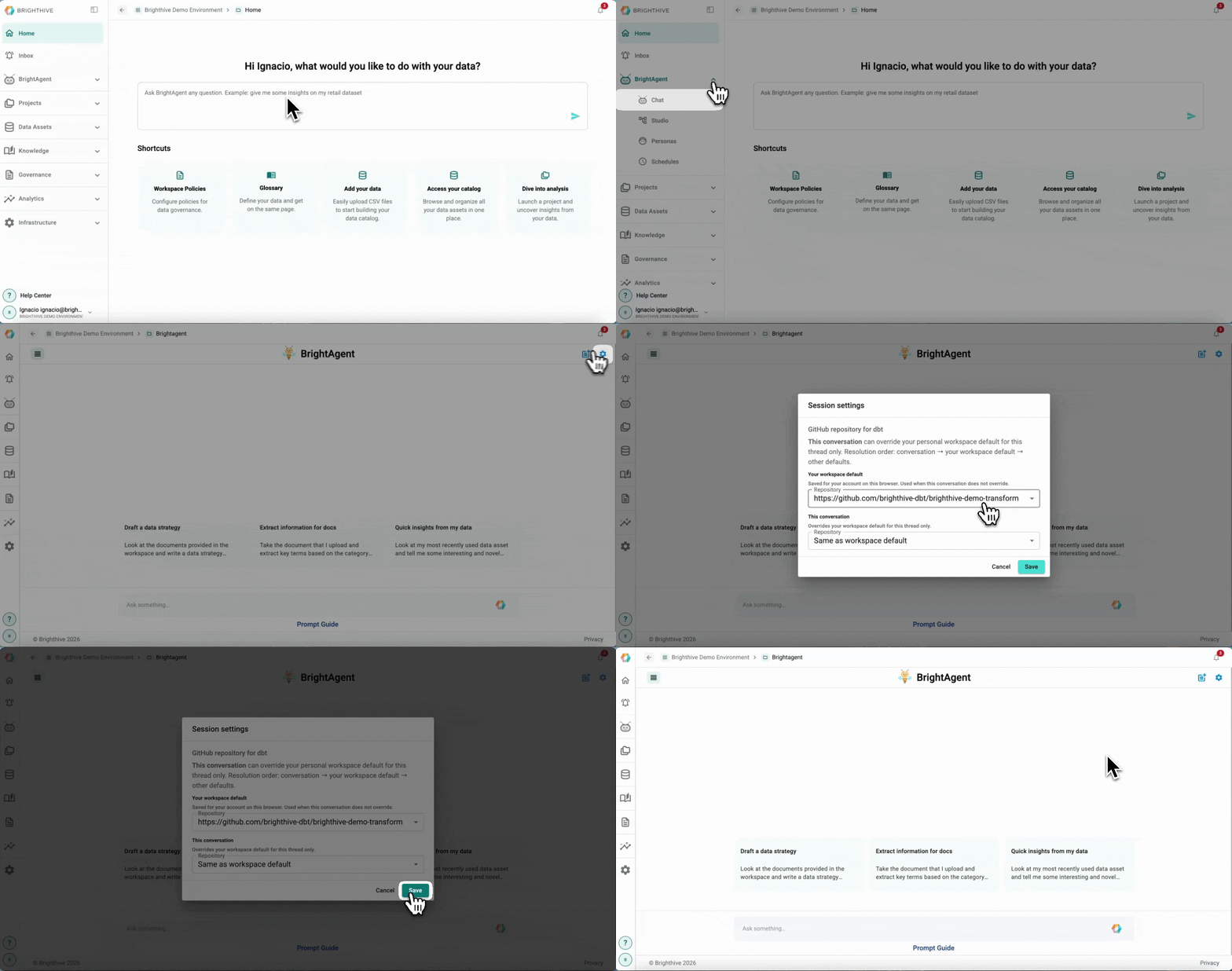
To adjust the settings of a BrightAgent Chat:
Click "BrightAgent" on the left side of the platform
Click "Chat" on the list of options deployed
Click the settings icon on the top-right corner of the platform
Make the required adjustments on workspace default and this conversation
Confirm the adjustments by clicking "Save"