View all Ingestions connected to Workspace
Last updated: July 28, 2026
Ingestion landing page
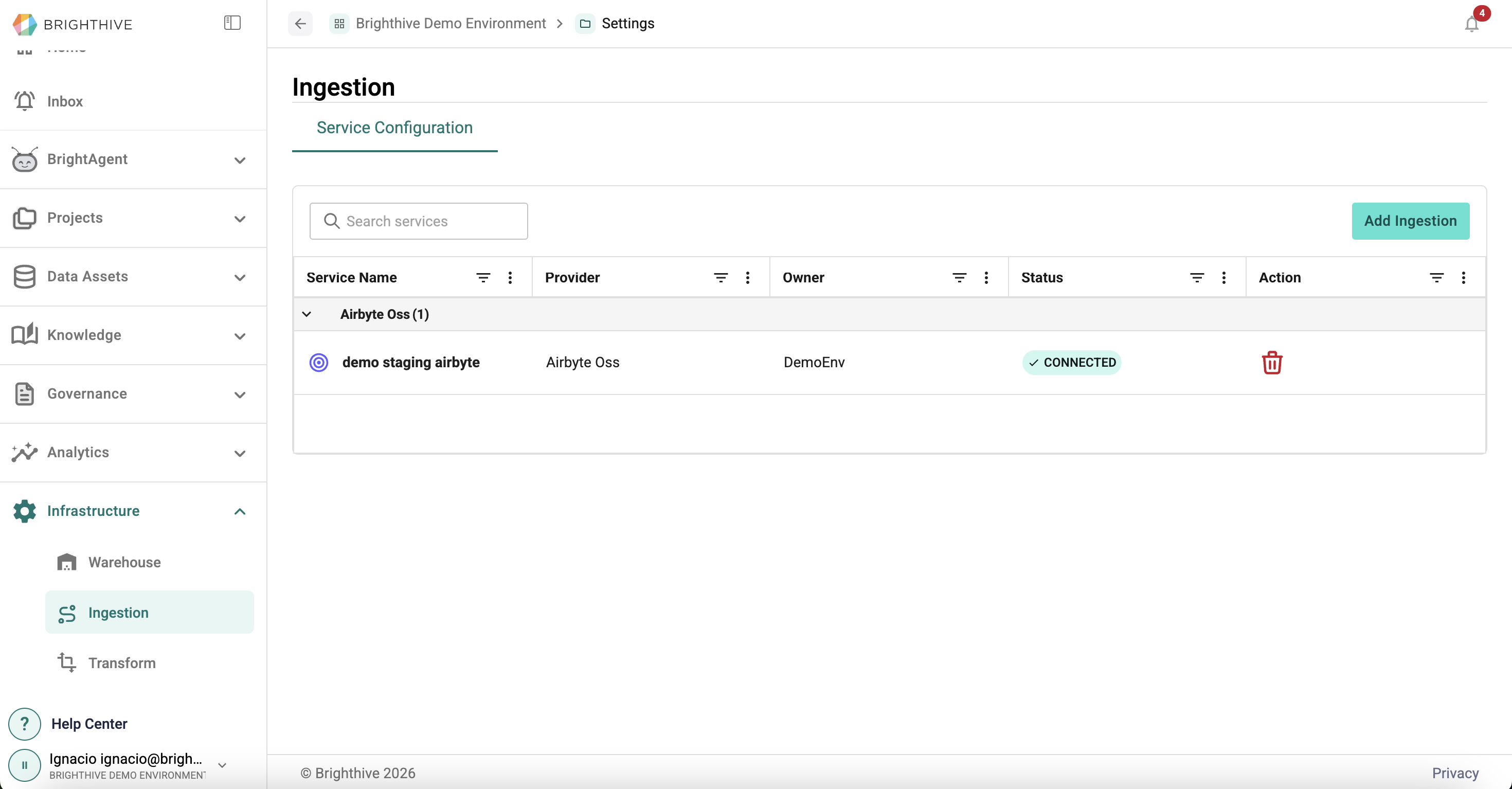
To access all the Ingestions connected to your Workspace:
Click "Infrastructure" on the left side of the platform
Click "Ingestion" on the list of options deployed
In this view, you can access the following information about each Ingestion:
Service Name
Provider
Owner
Status
Ingestion details
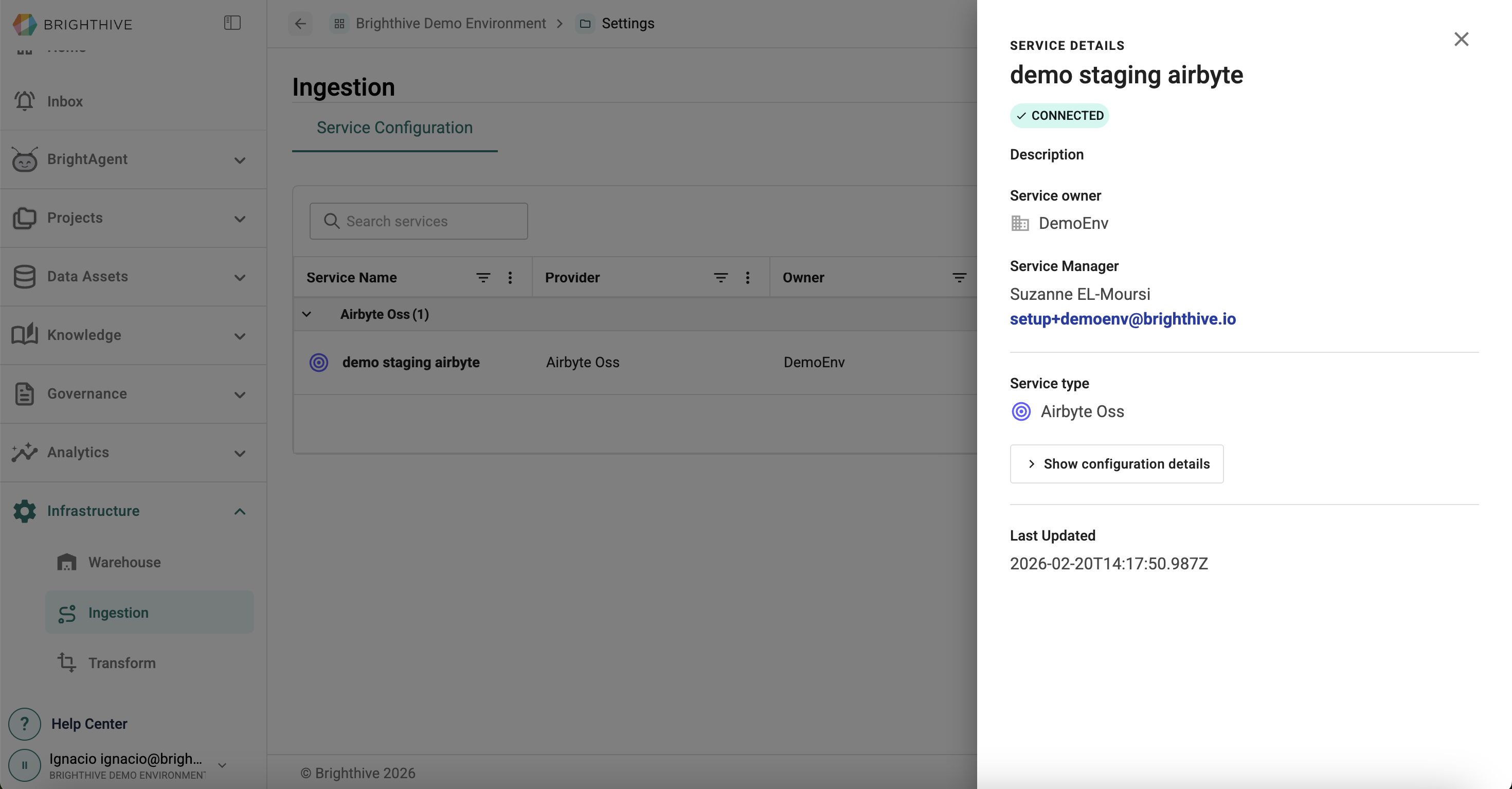
To view advance details of a particular Ingestion connected to your Workspace:
Click "Infrastructure" on the left side of the platform
Click "Ingestion" on the list of options deployed
Click on the name of the Ingestion you wish to review
In this view, you can access the following information about each Ingestion:
Service Name
Description
Owner
Manager
Service Type
Configuration details
Last update date